Explore Kickoff’s Virtual competitions and in-person sessions. Open any image to view it at full size.
2.0.0 Virtual previews · Community ratings · In-person onboarding · Squad options · Your suggestion · Edit teams
2.0.0 · Virtual competitions
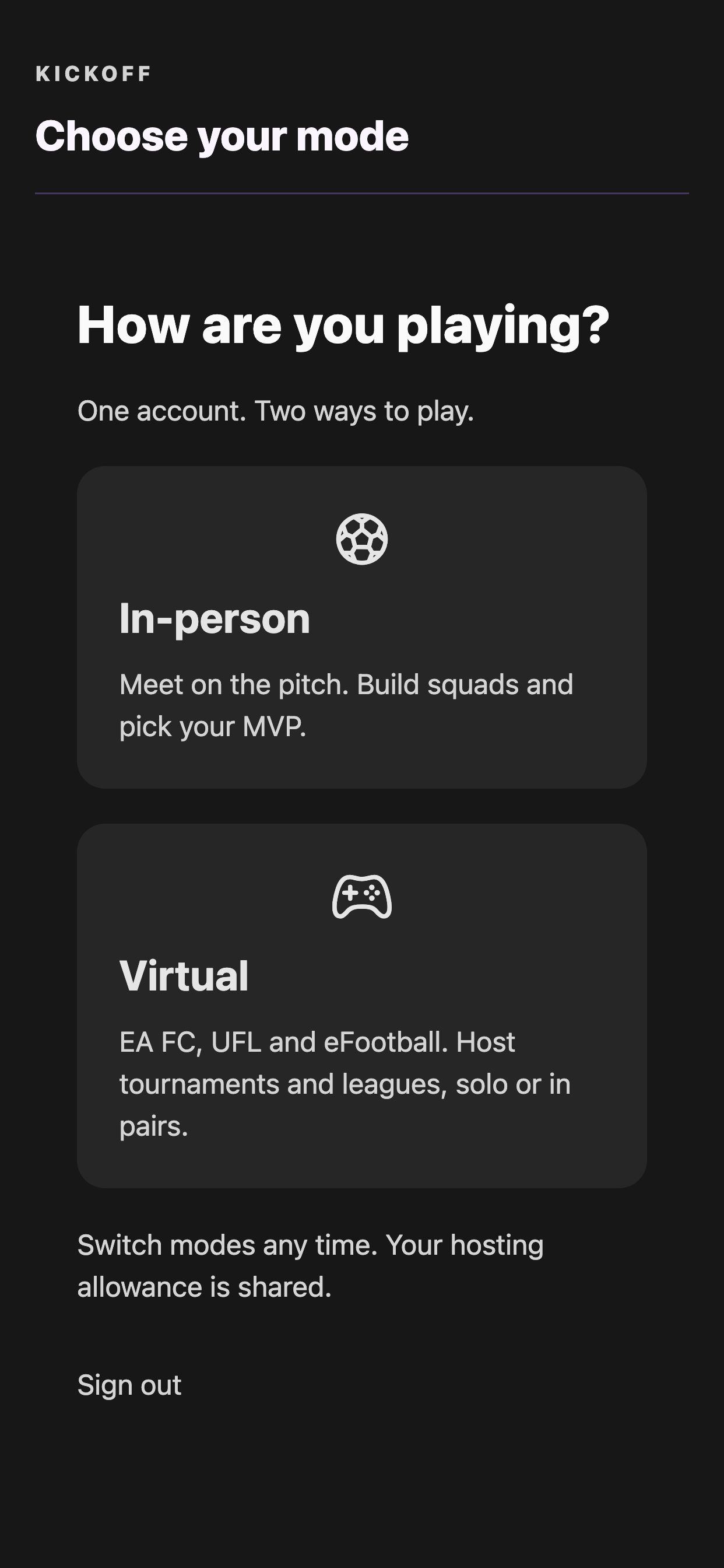
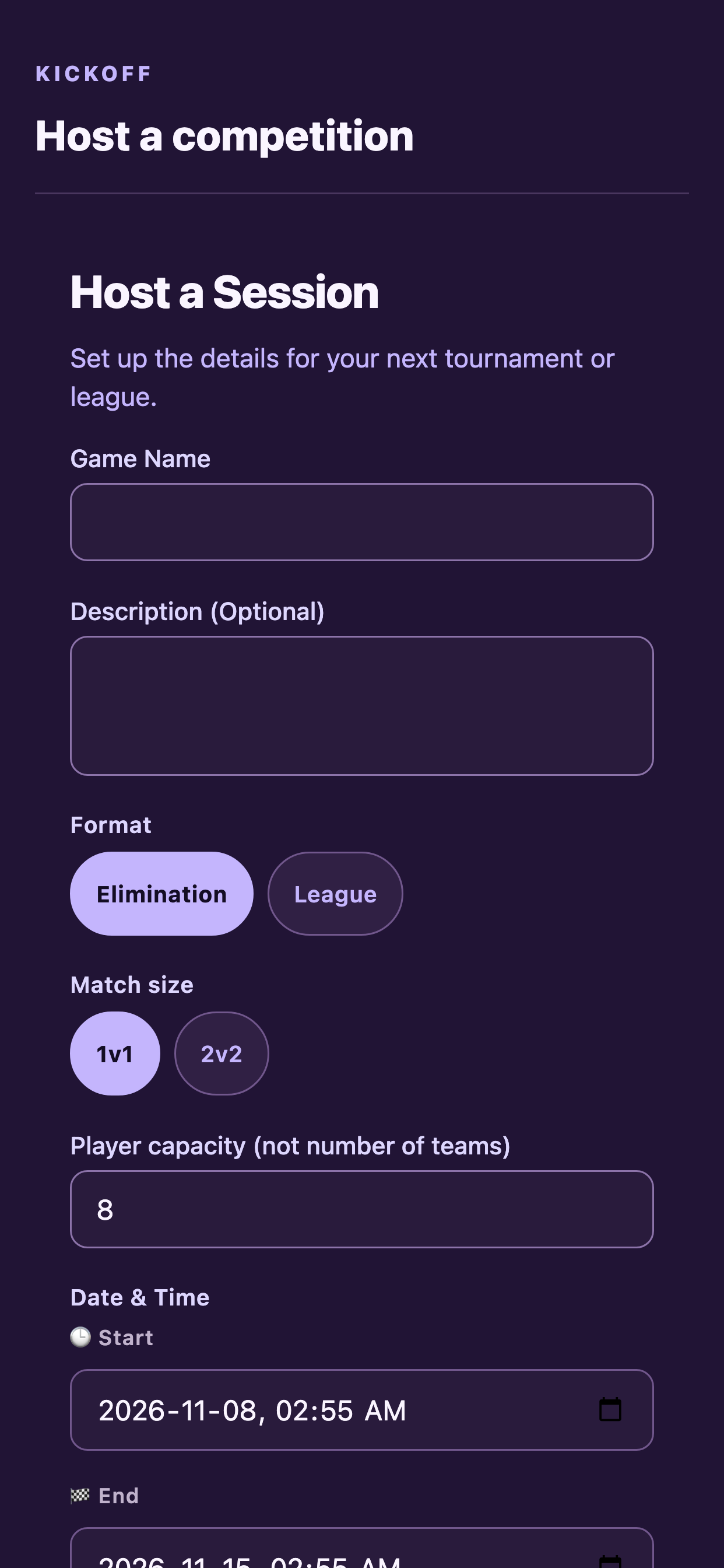
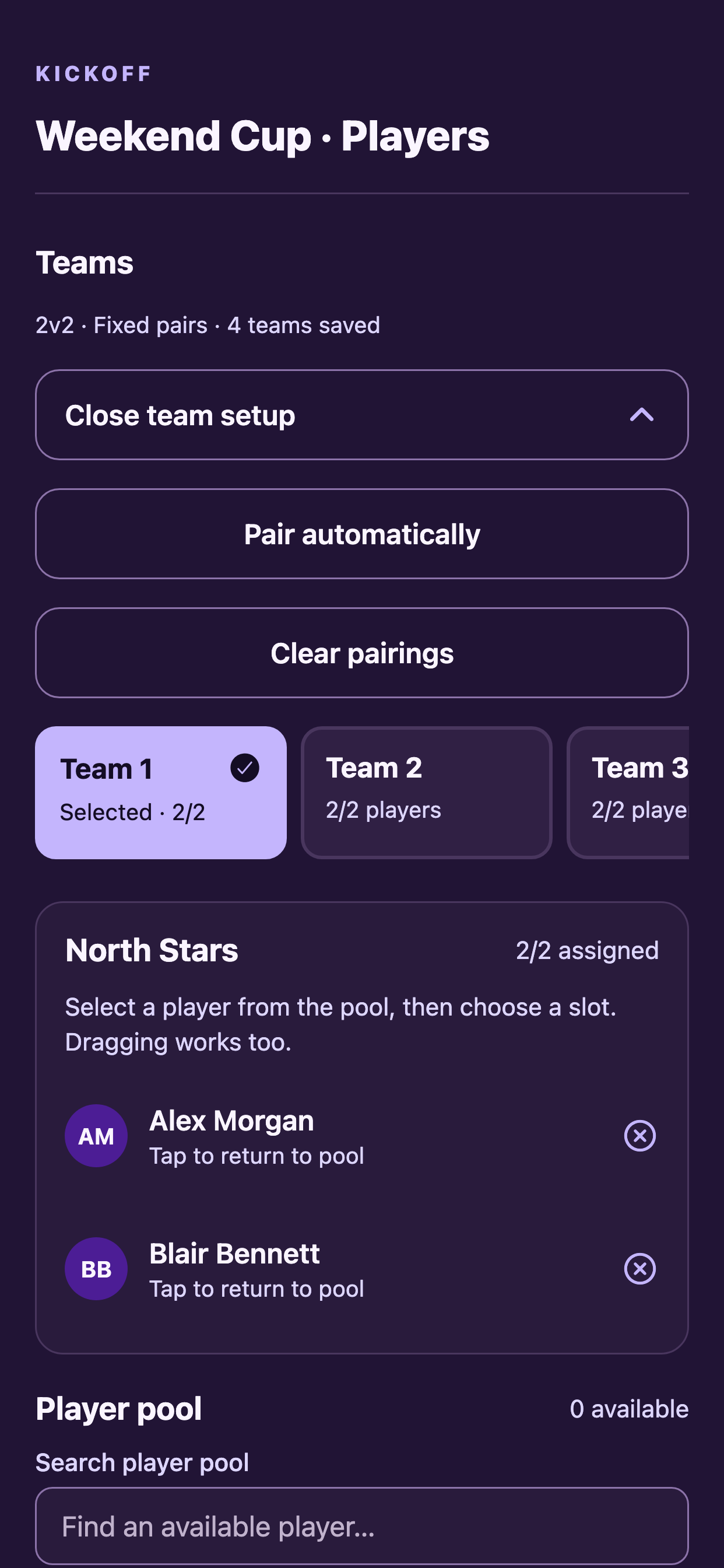
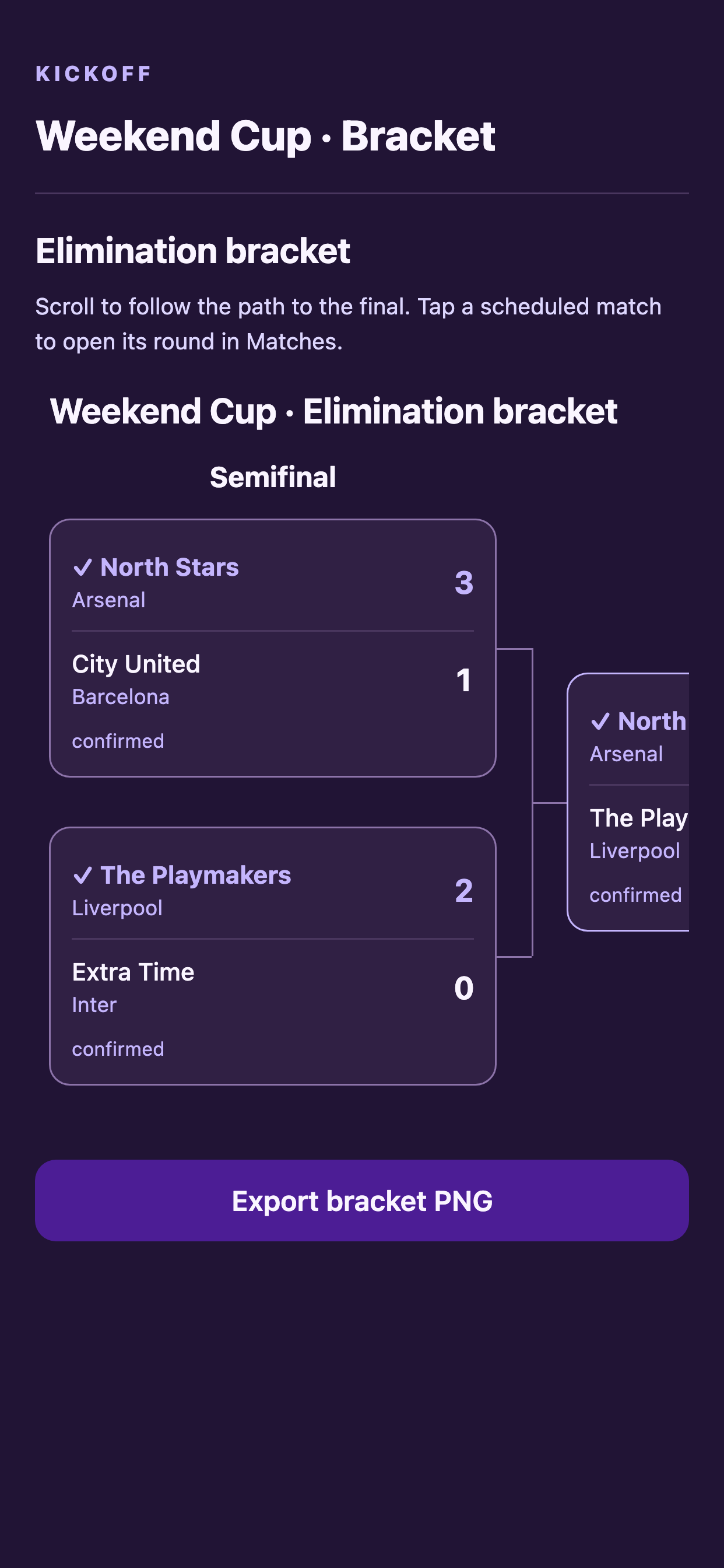
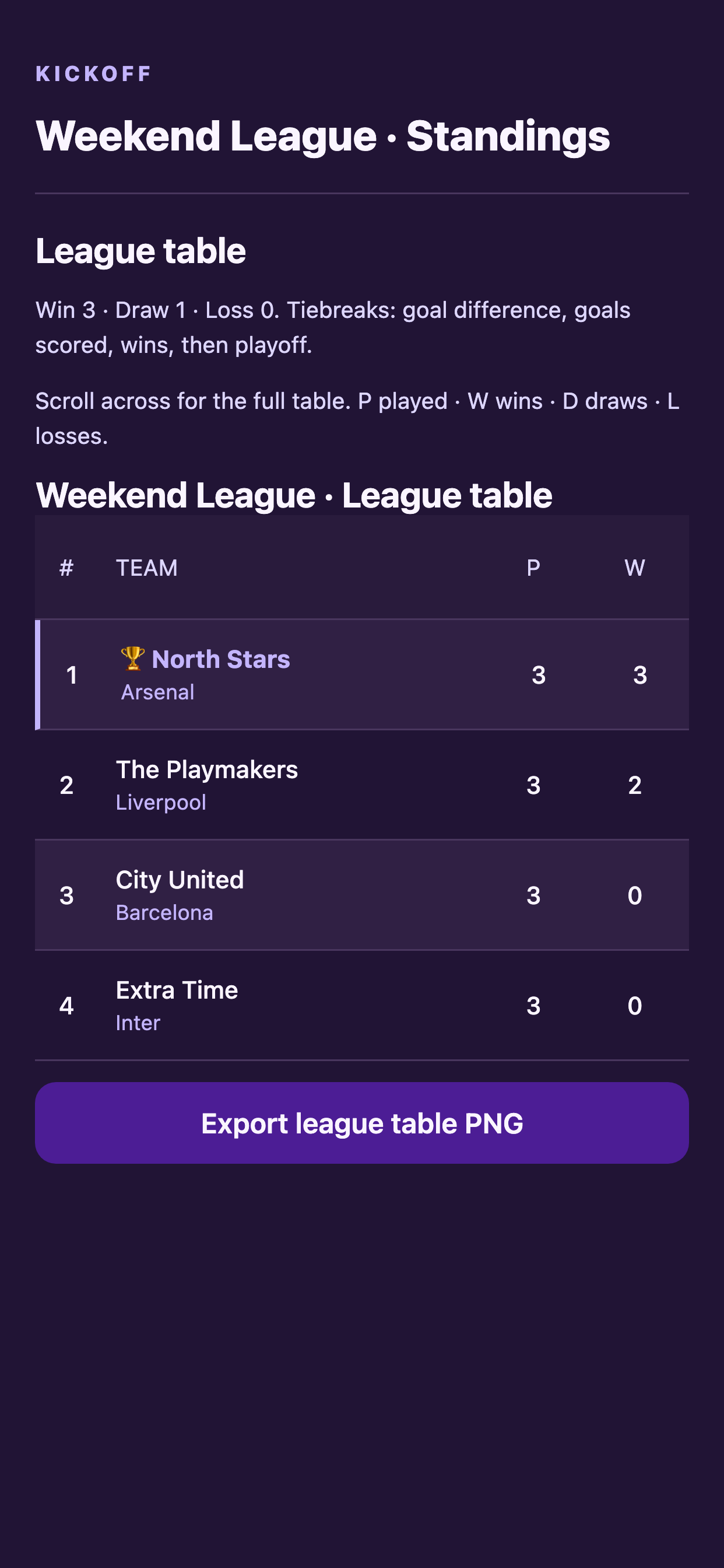
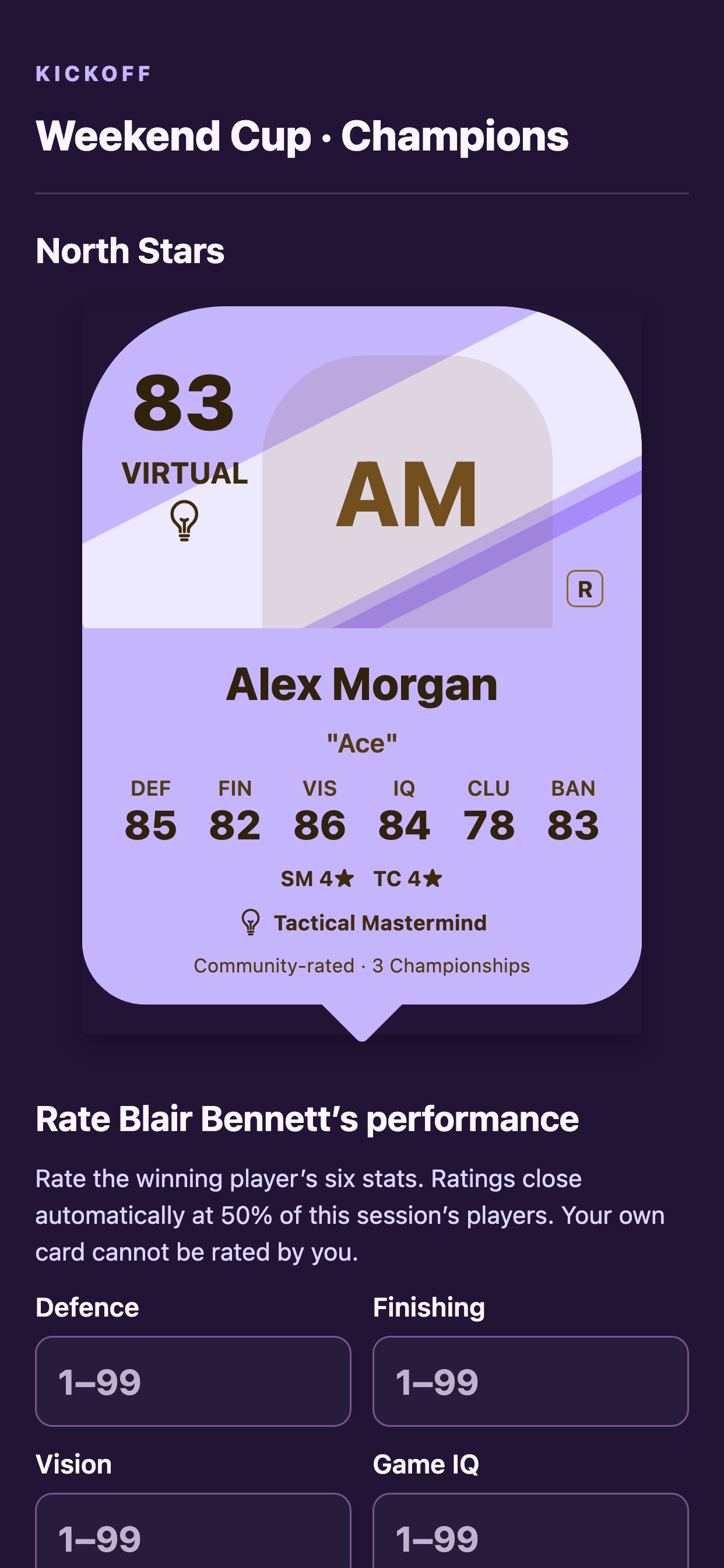
Browser-rendered component previews from the current app source, using sample players and results. These show mode selection, competition creation, pairs, brackets, league tables and champion ratings. All previews use a 414 × 896 mobile viewport at 3× scale, producing 1242 × 2688 images to match the iPhone 11 Pro Max gallery. The shared UI components are rendered with React Native Web; layouts can differ from the native app.
2.0.0 · In-person community ratings
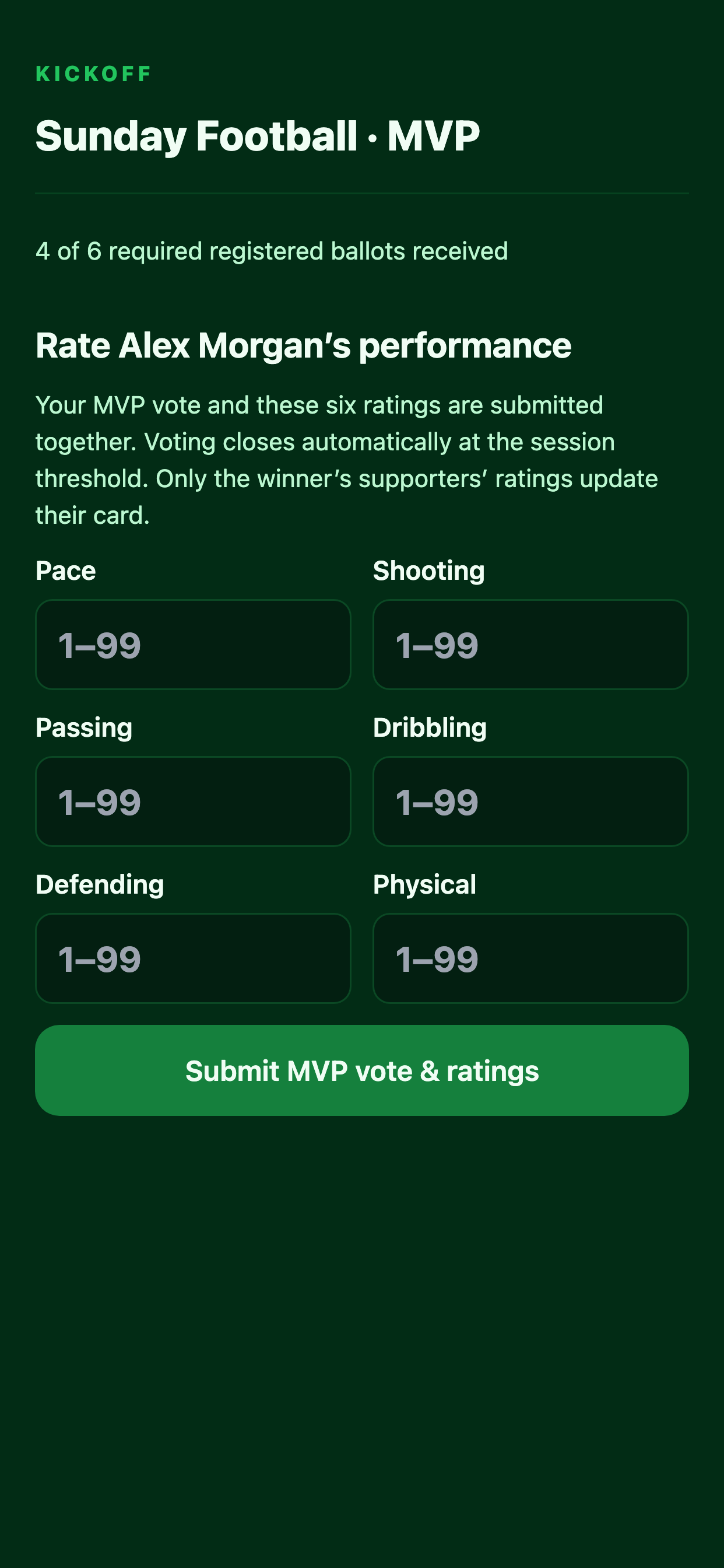
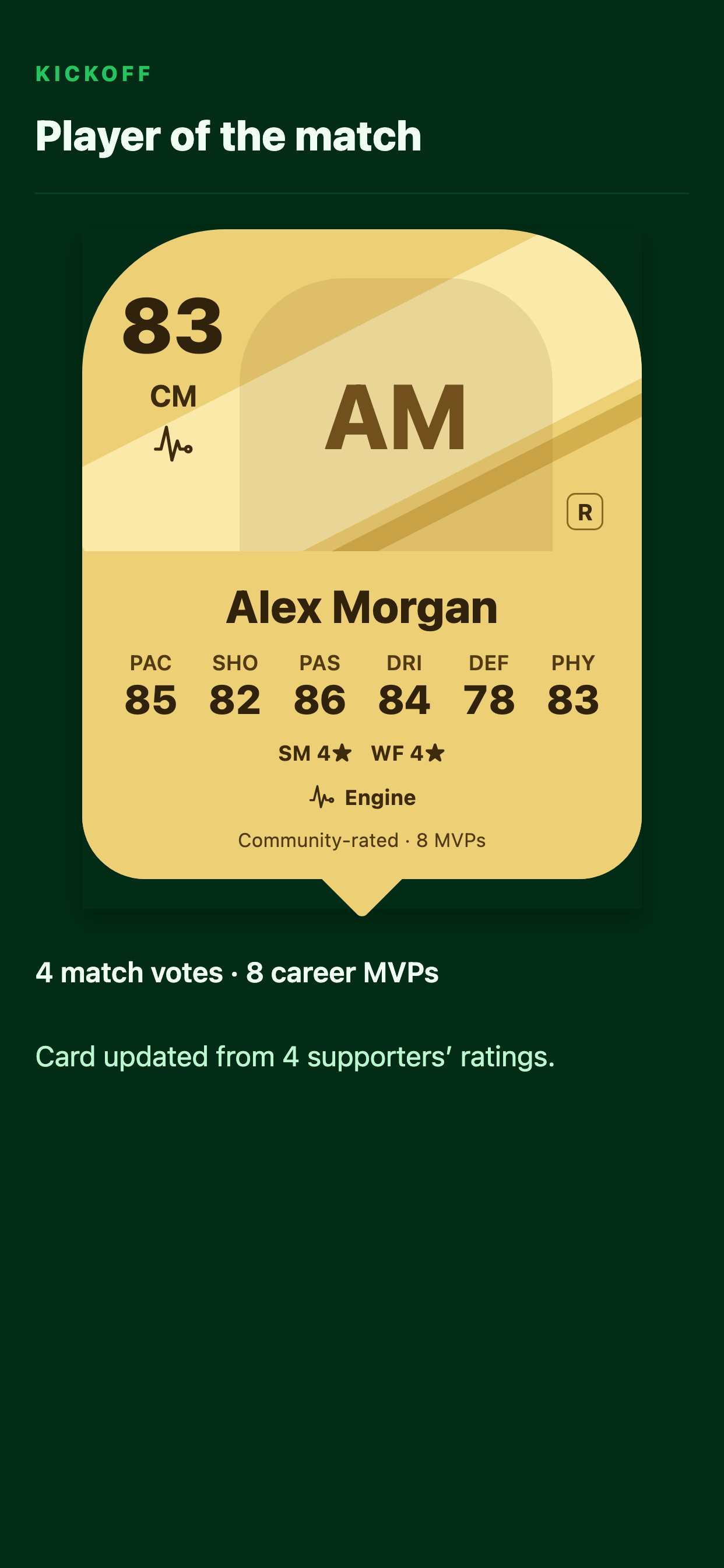
Current component previews show the combined MVP and six-stat ballot, followed by a Community-rated gold player card. Voting completes automatically at the session threshold; qualifying winner ratings update the card baseline while earned +1 bonuses remain.
In-person iPhone simulator gallery
The following captures were taken on an iPhone 11 Pro Max simulator at 1242 × 2688 pixels using sample players. They predate 2.0.0 and show the earlier in-person interface. The current app adds combined MVP/community-rating ballots and moves upgrade allocation into Edit card. See the current feature guide for those workflows.
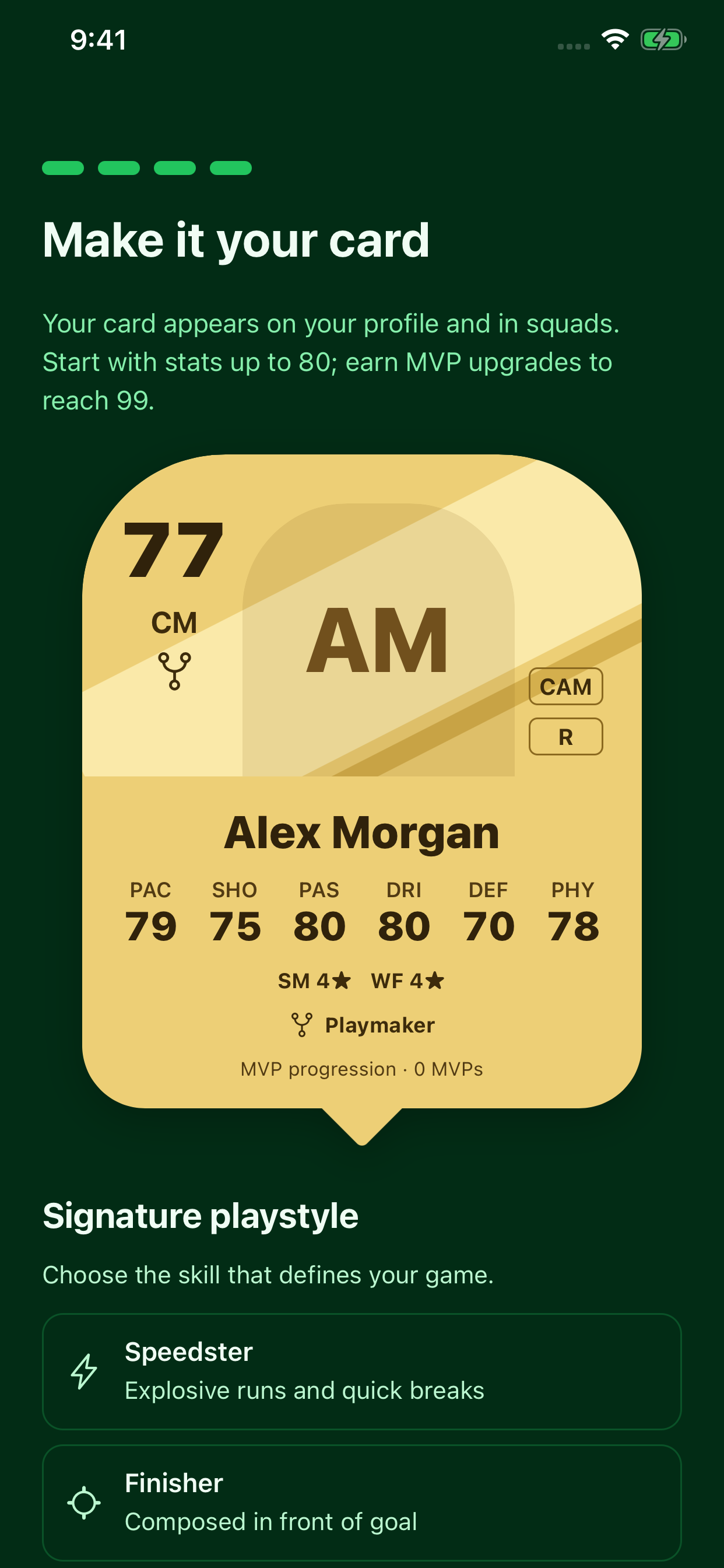
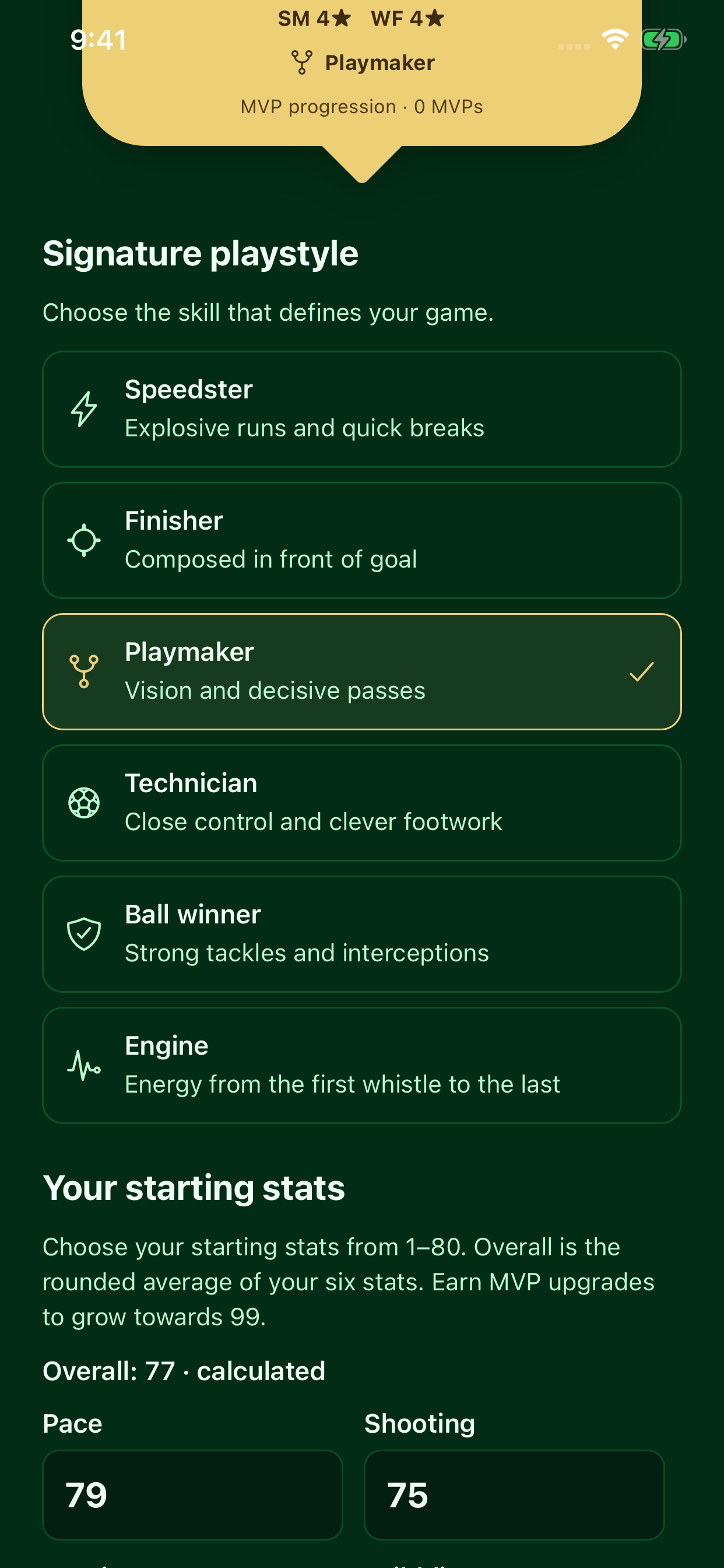
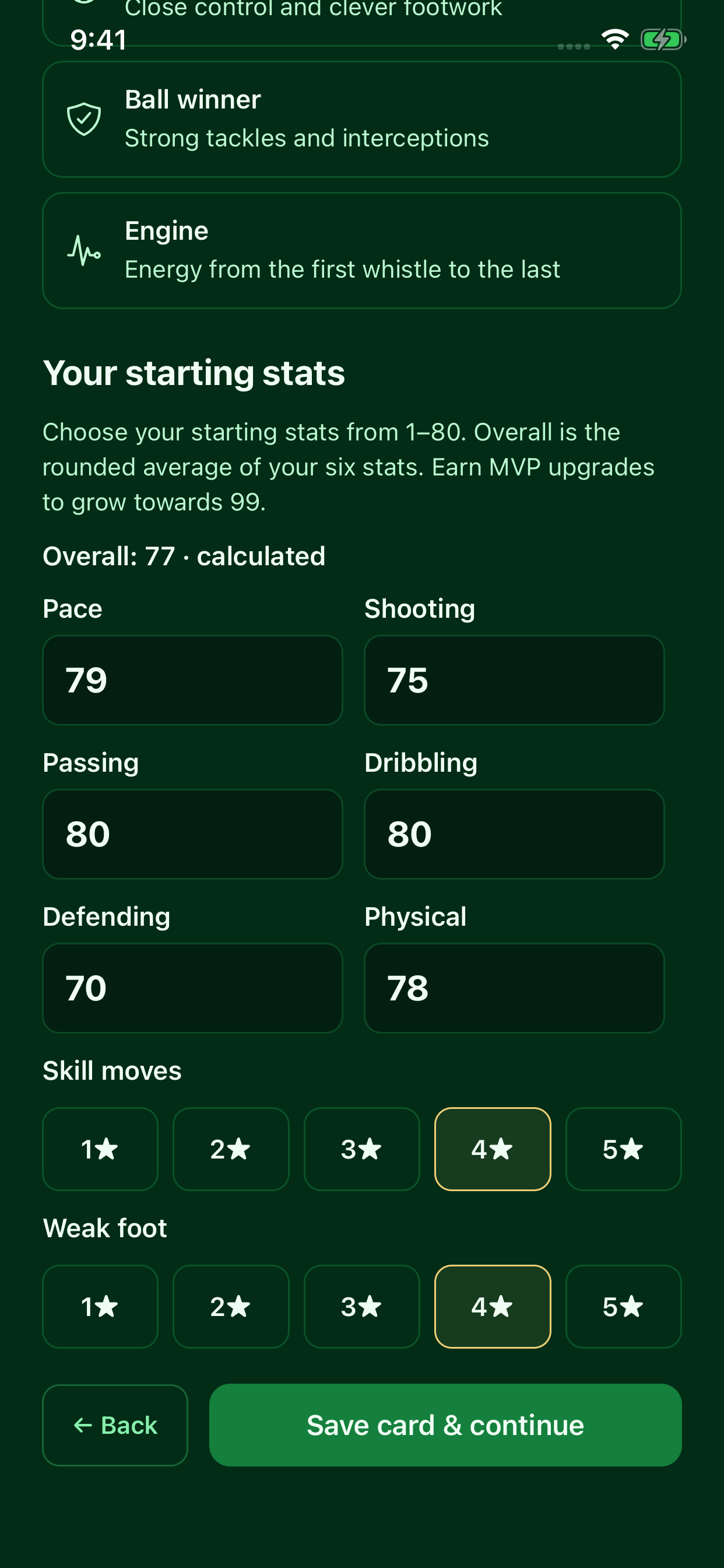
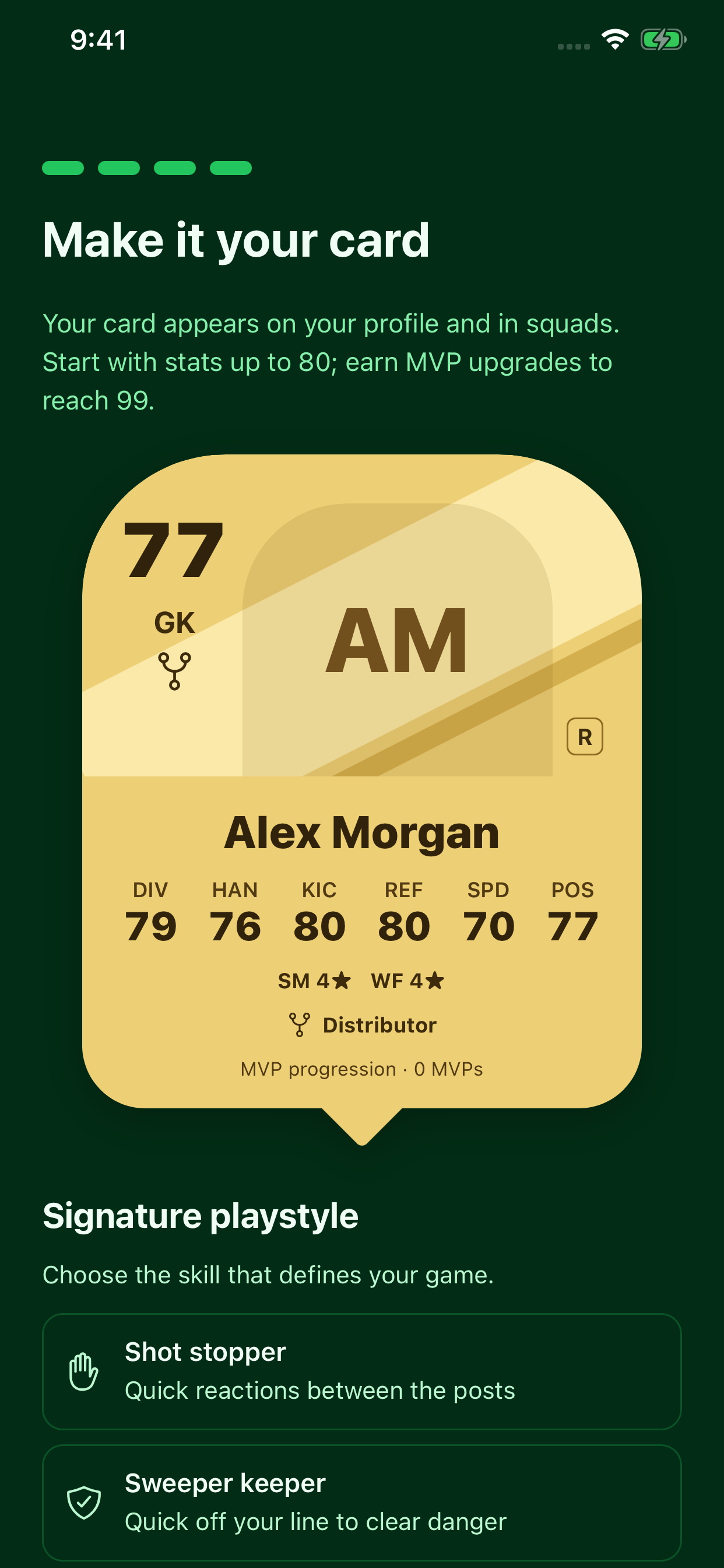
Onboarding & creating your player card
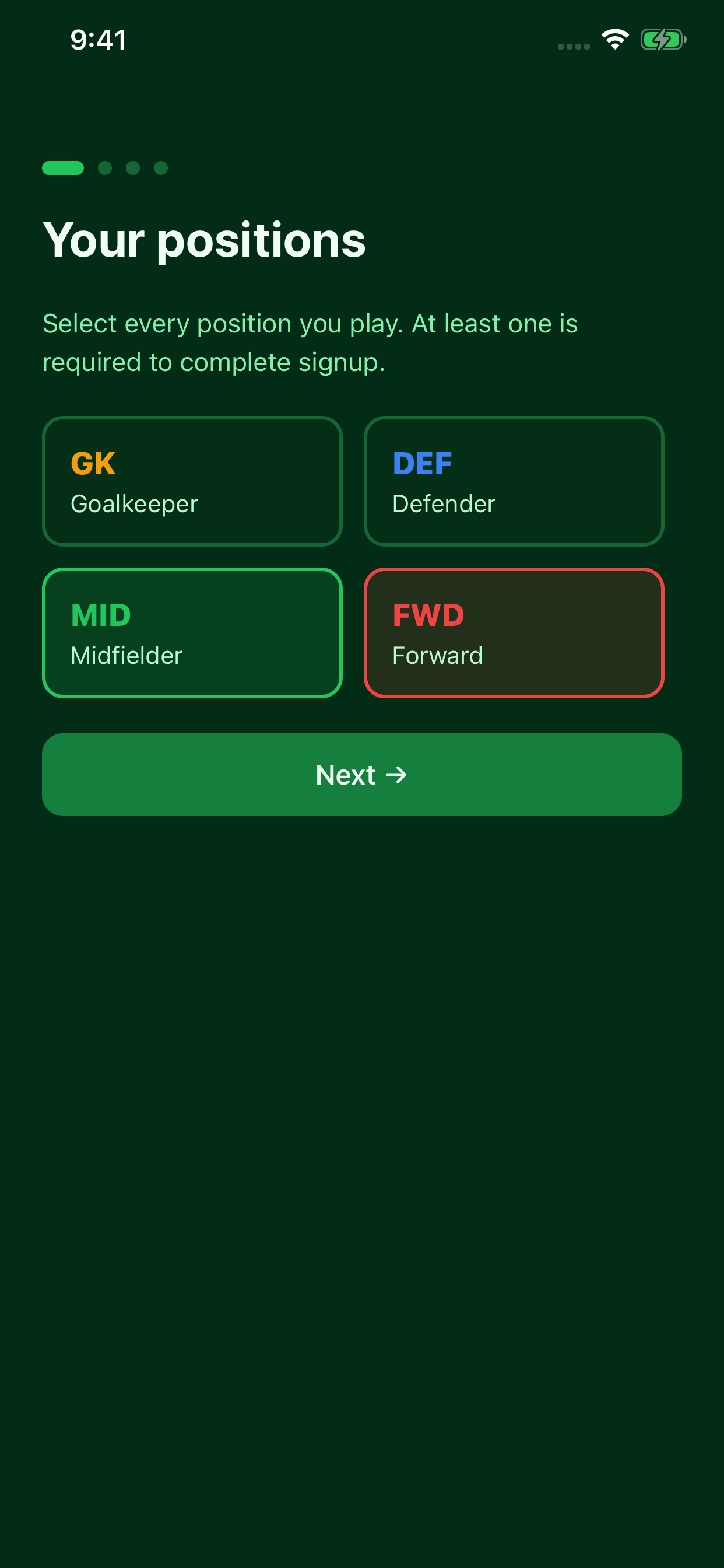
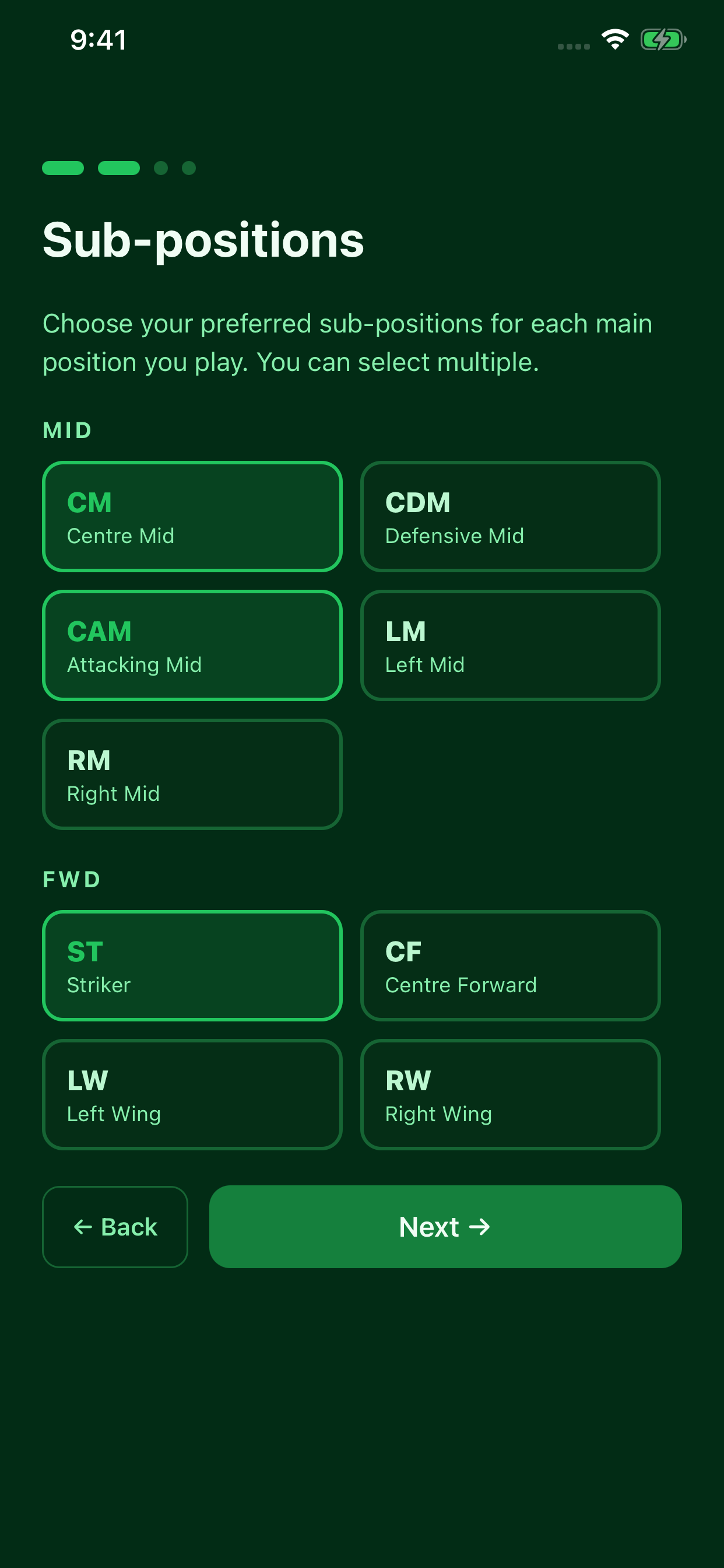
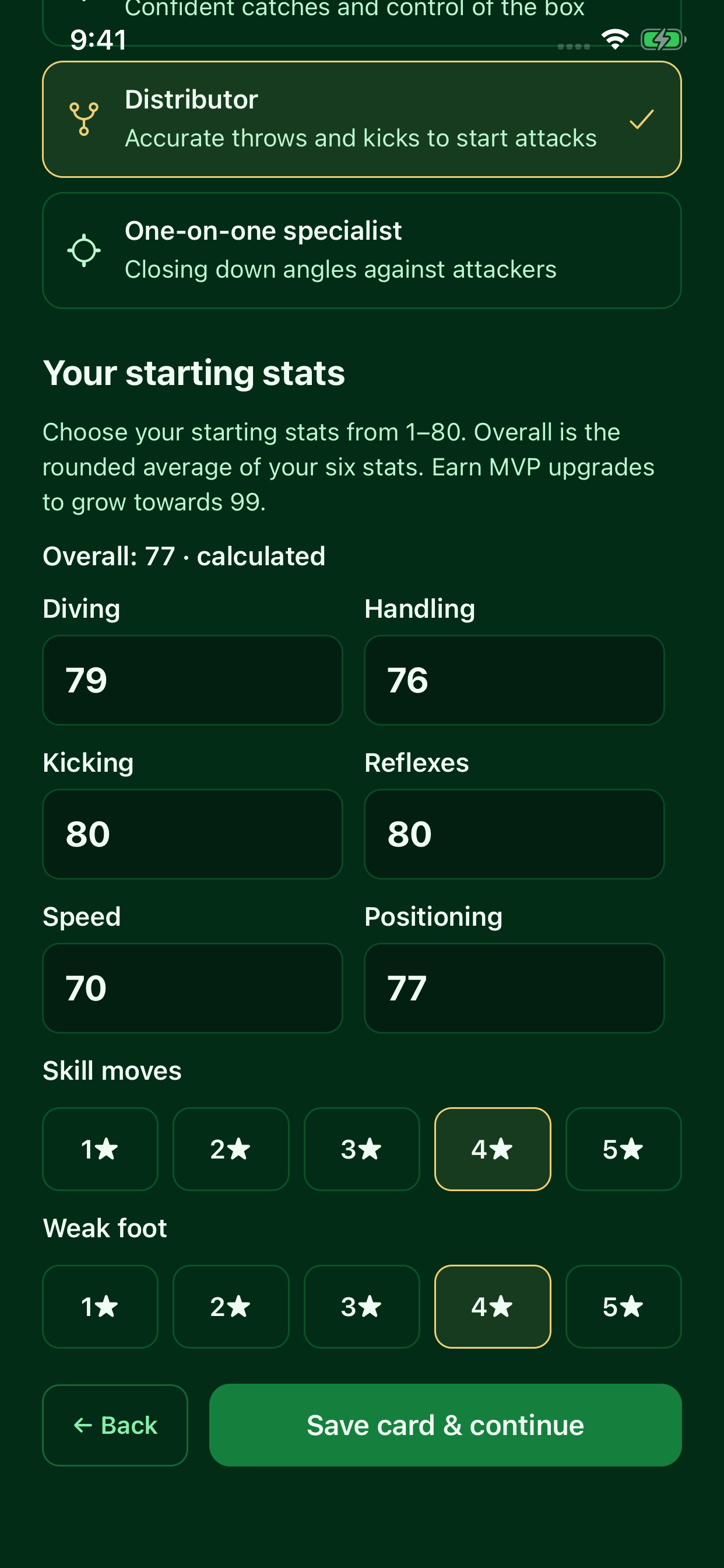
Set up your player profile in four steps: select your main positions, choose specific roles, pick your strong foot, and create your card. Choose a signature playstyle, enter six starting stats from 1–80, and select skill-move and weak-foot stars. Overall is calculated from the six stats. Selecting goalkeeper gives you goalkeeper-specific playstyles and stats. In the current app, card stats develop through qualifying community ratings and earned MVP upgrades.

Session overview & host controls
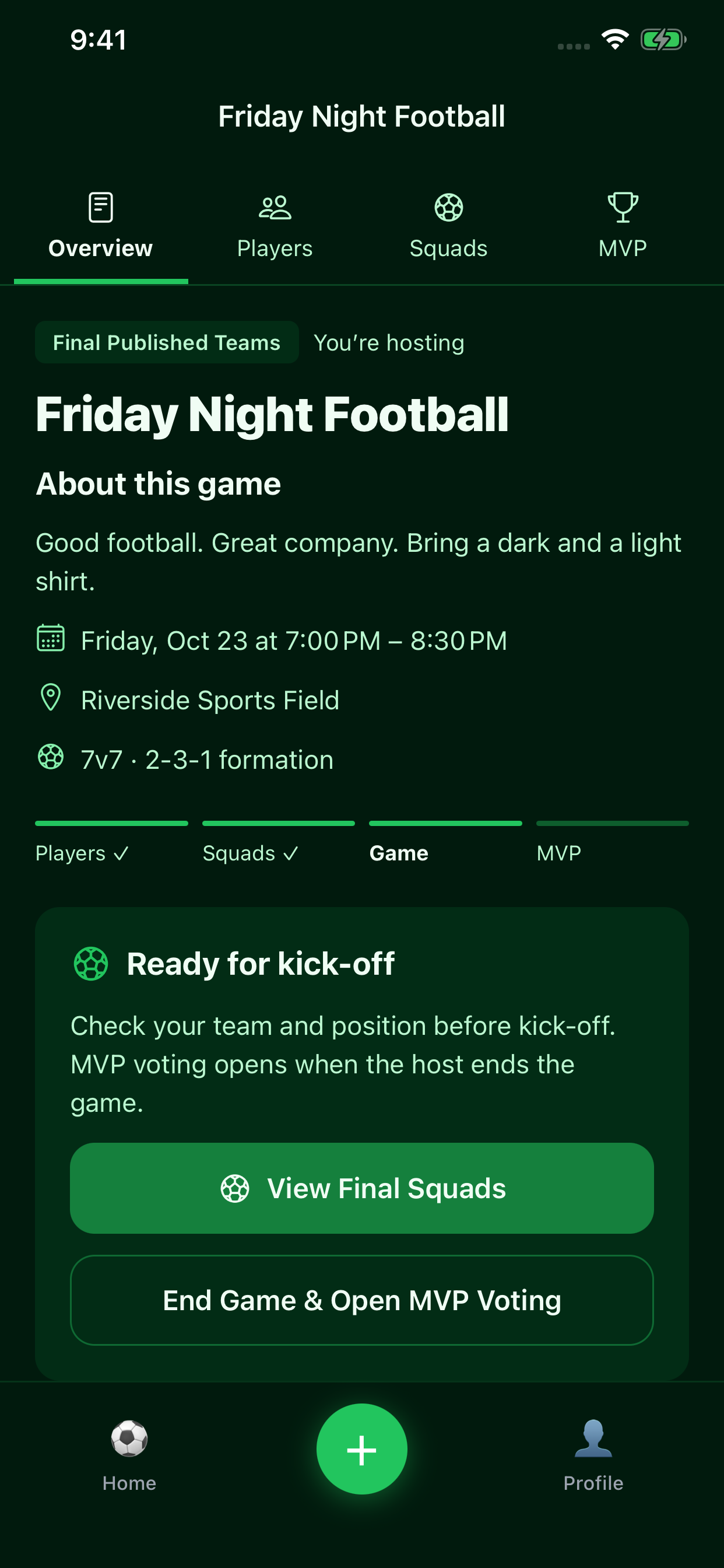
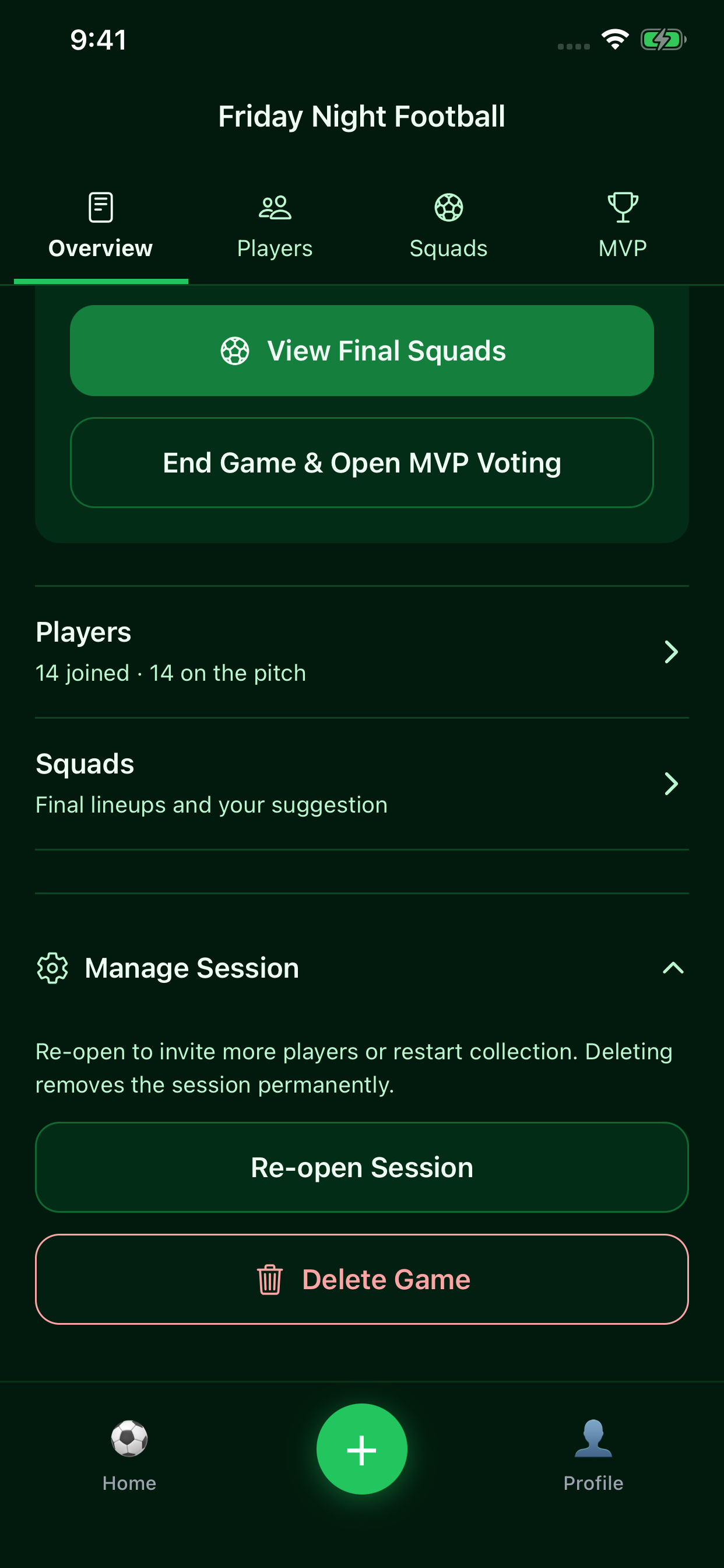
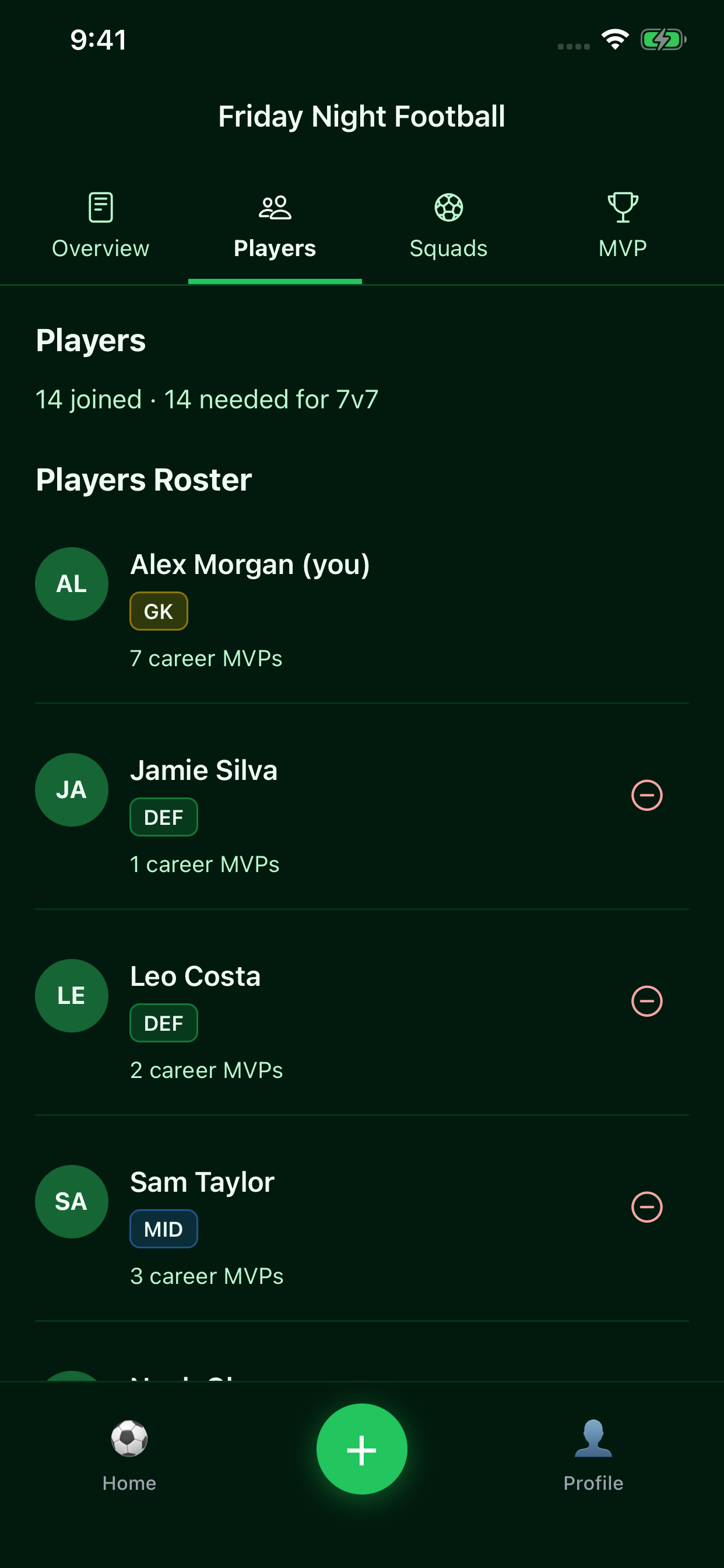
Follow the game from player collection to published squads and the final MVP. Overview, Players, Squads, and MVP tabs keep each step close at hand.
Two ways to create the final squads
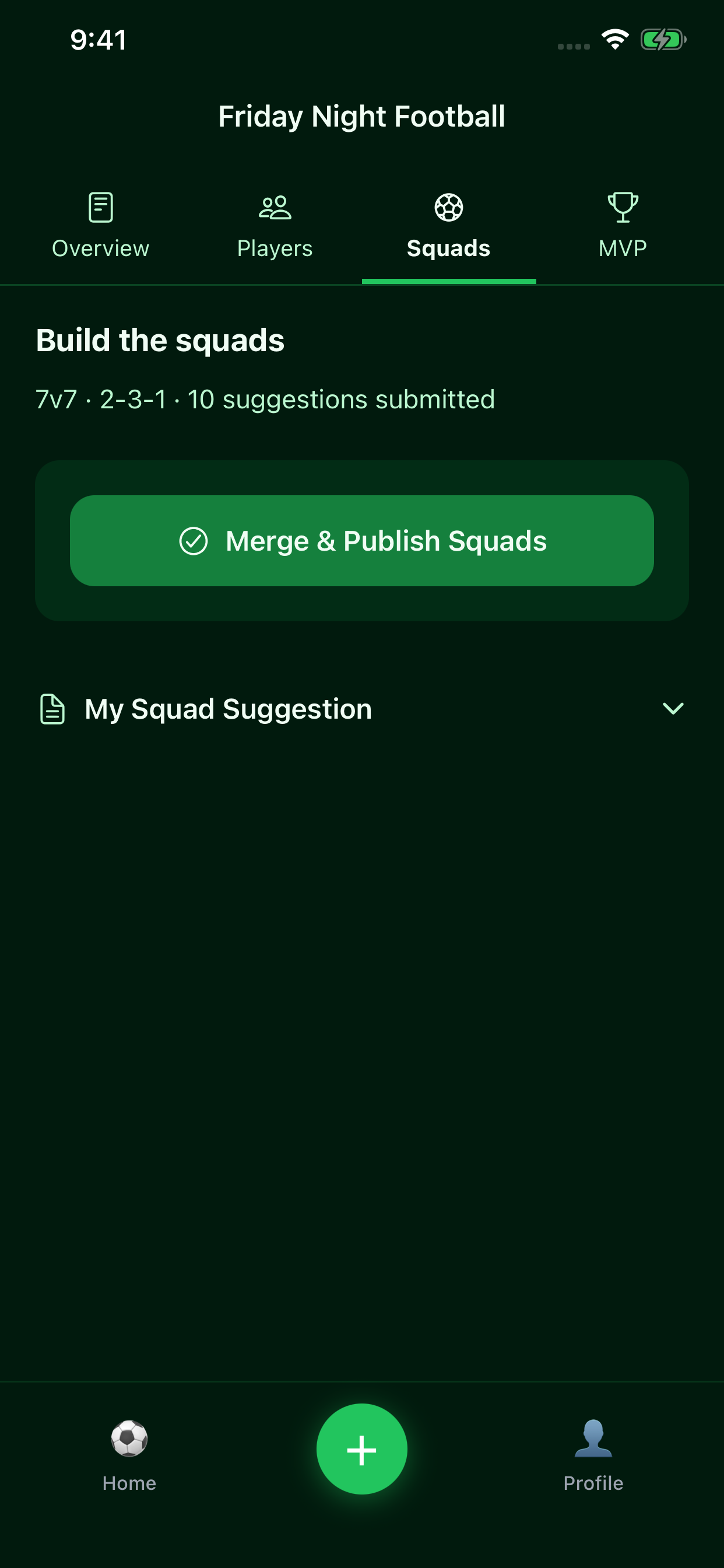
Merge suggestions: players submit their preferred lineups while collection is open. The host closes collection, then uses Merge & Publish Squads. The deterministic merge uses nominations, how often players were suggested together, and suggested pitch slots to combine the submitted lineups.
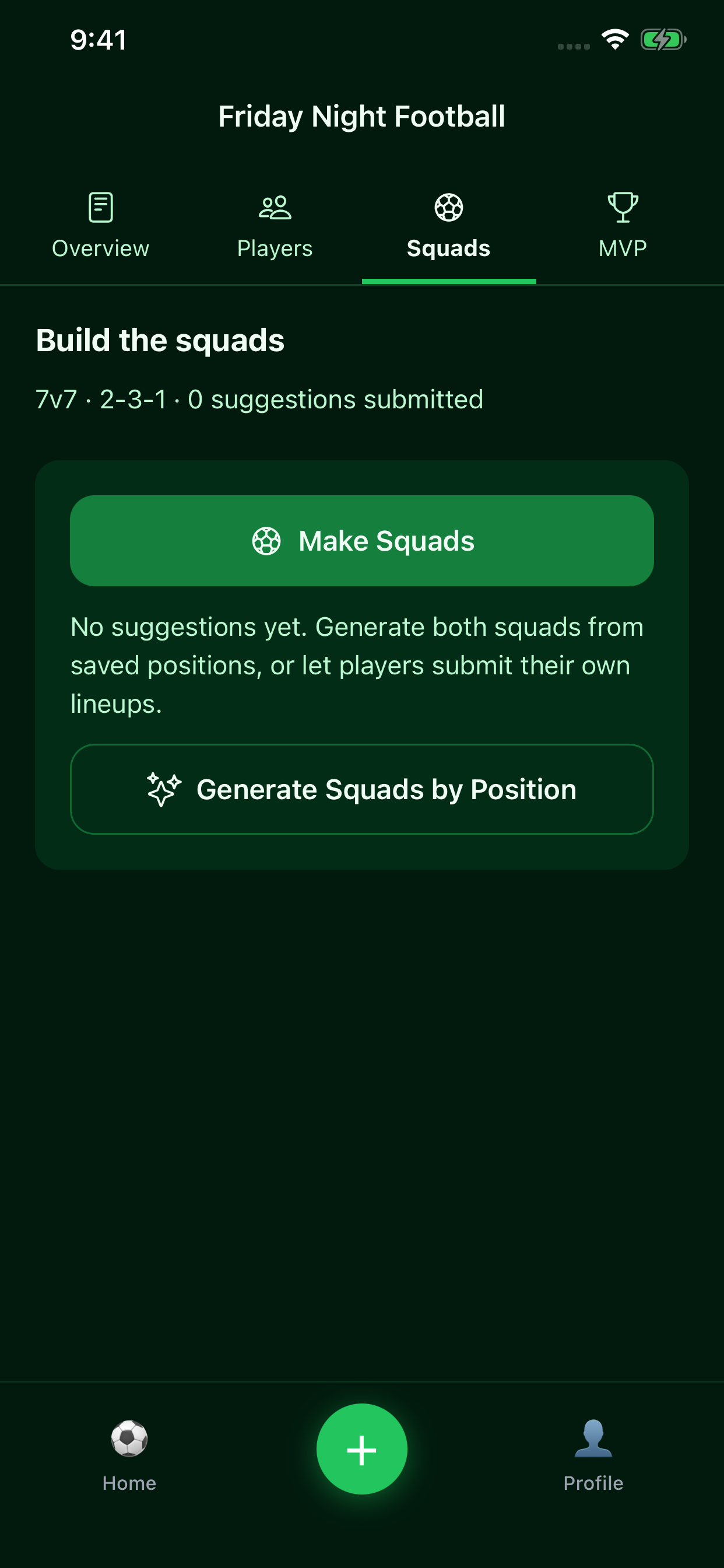
Generate by position: when no suggestions have been submitted, the host can automatically make both squads from saved main positions. Players without matching positions fill the remaining slots. Enough players are required for the selected format; extra players sit out. This option matches positions rather than balancing self-reported skill ratings.
Squad builder & match lineups
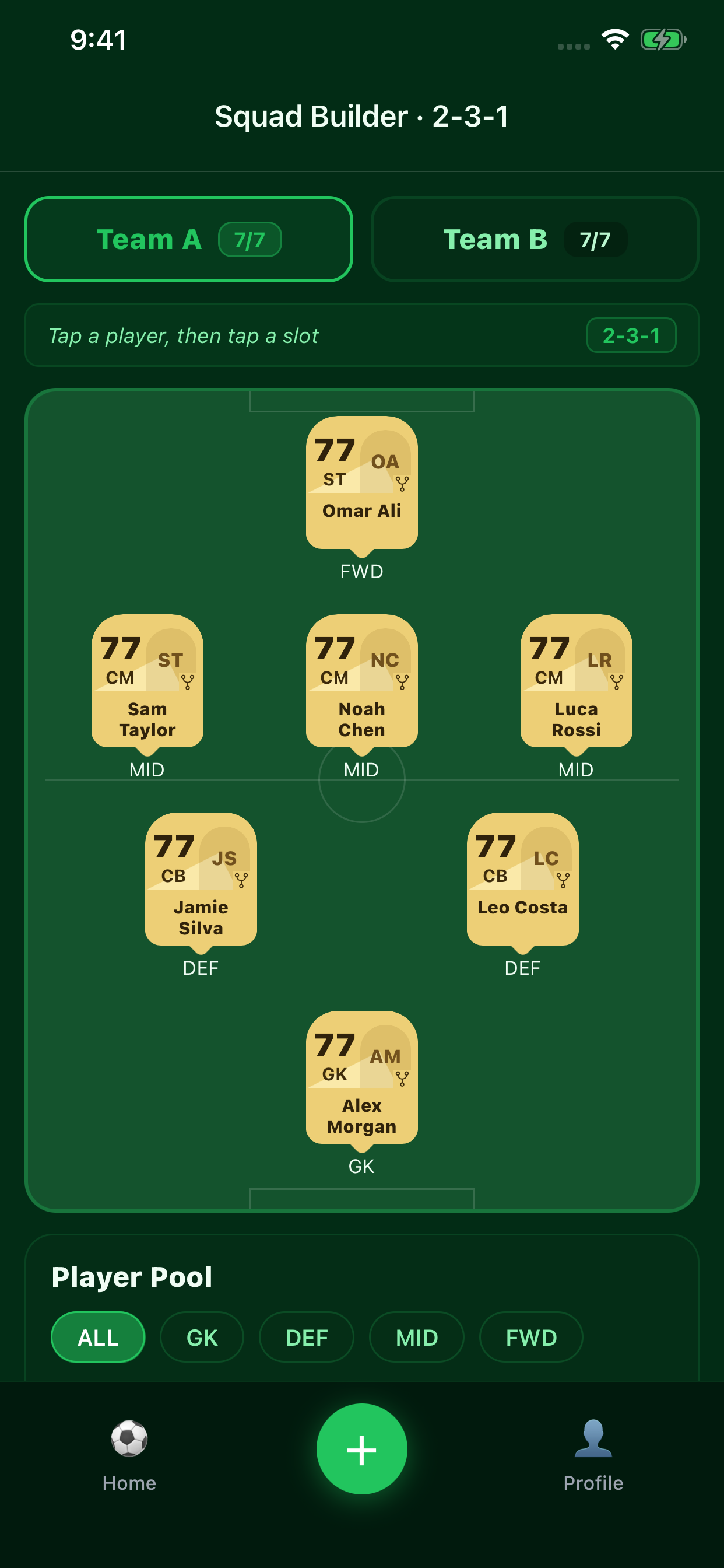
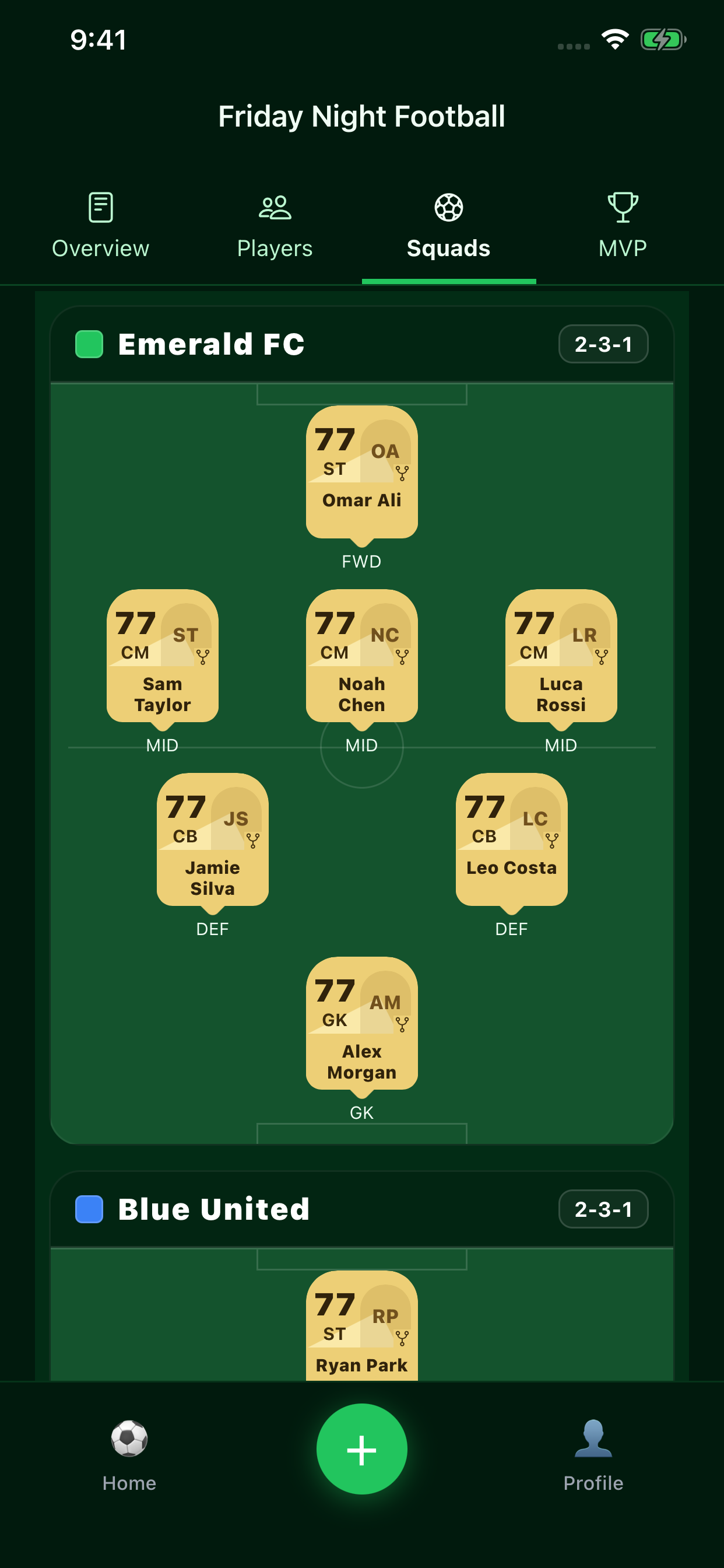
Build suggestions for 5v5 through 11v11. Tap a player and a slot to assign positions. Hosts can merge submitted suggestions or generate squads from saved positions when no suggestions have been submitted, then adjust team names, colors, formations, and player slots.
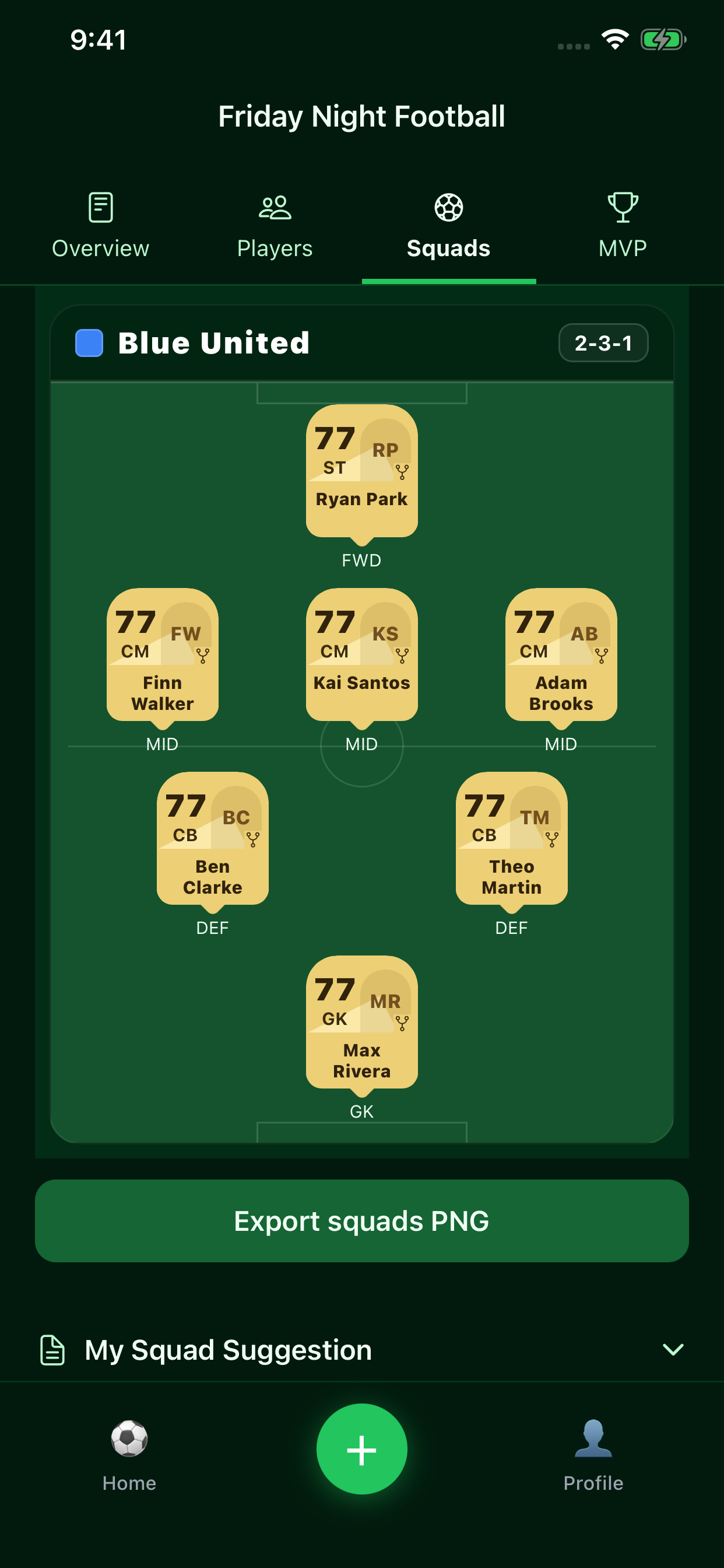
Review your squad suggestion
Open My Squad Suggestion in the Squads tab to see the two lineups you submitted. Your suggestion is separate from the published match teams. While collection is open, use Edit My Suggestion to revise your player assignments and resubmit them.
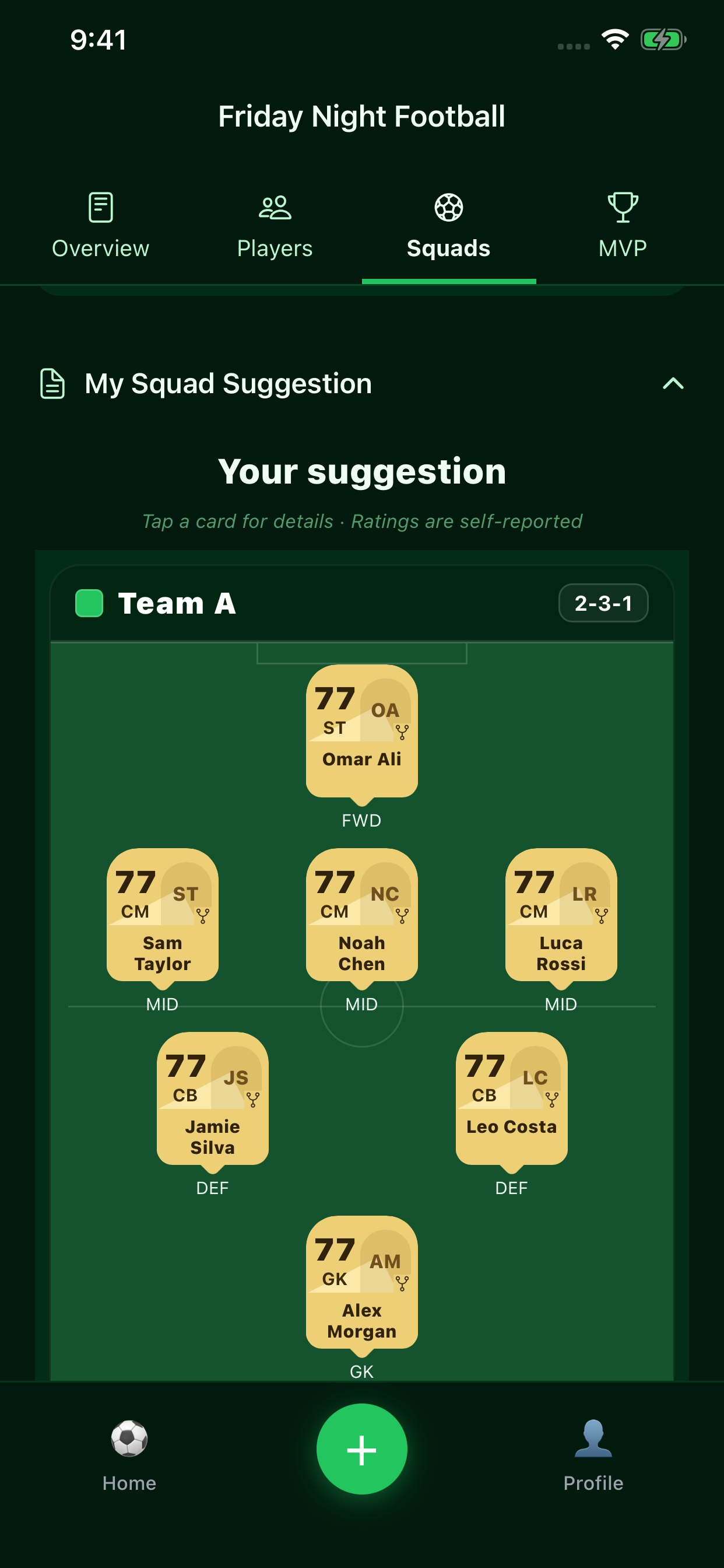
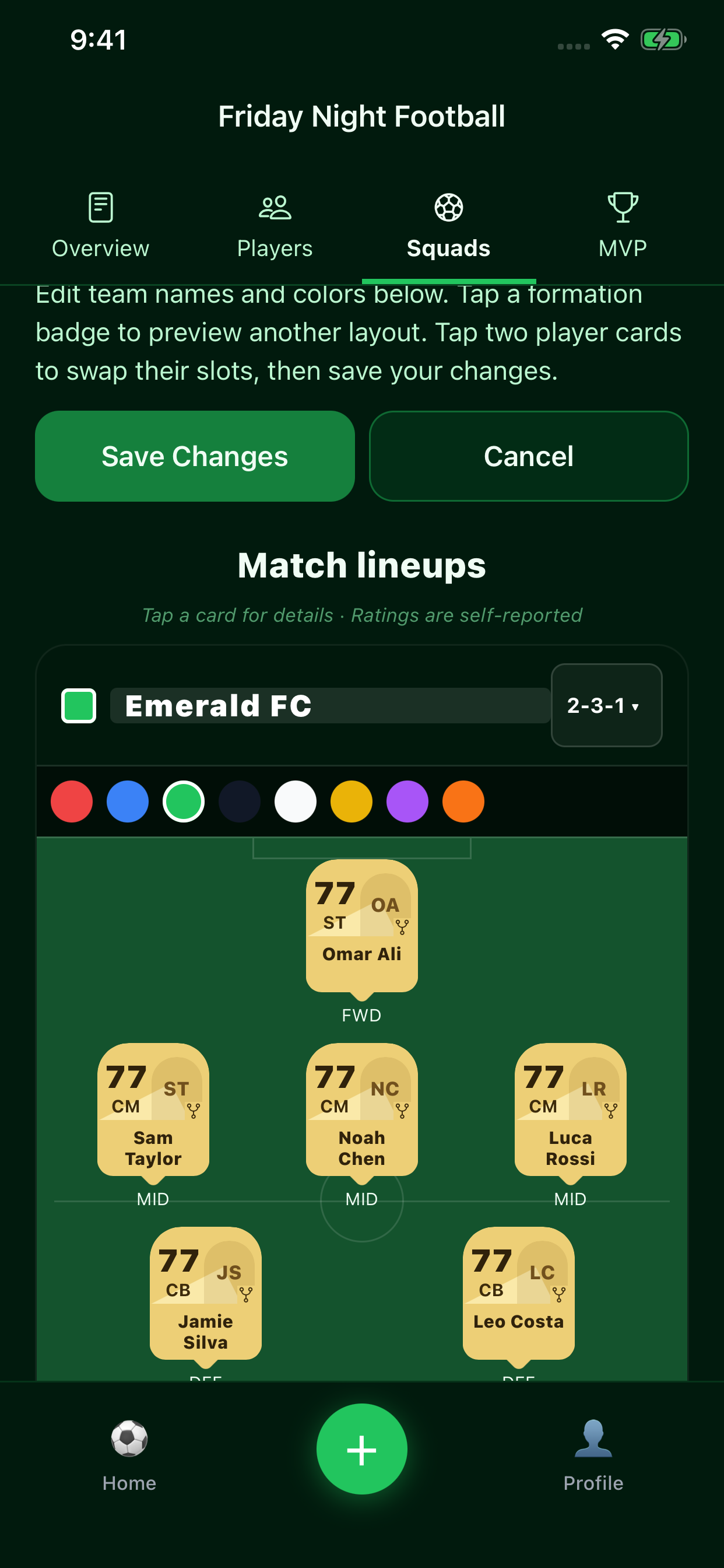
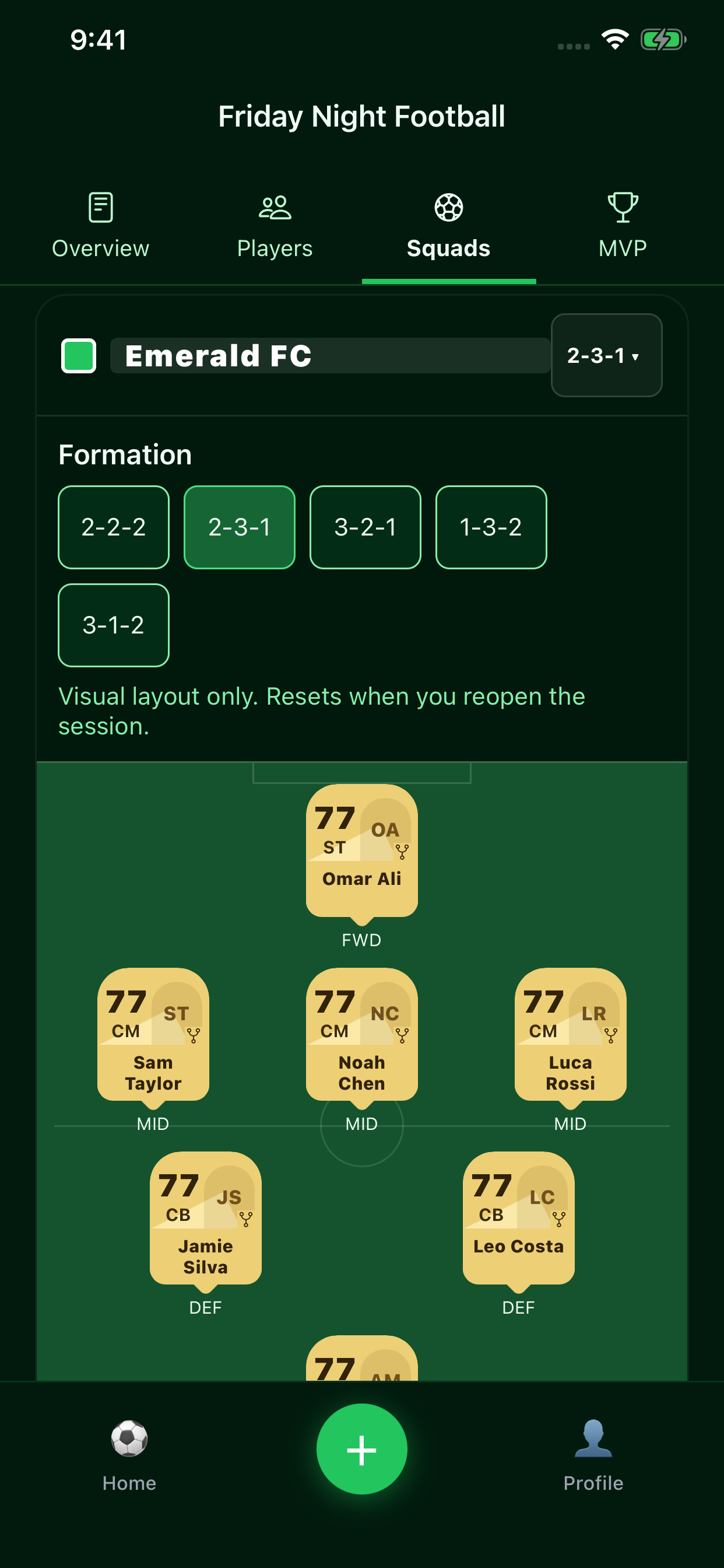
Edit published teams
Hosts can open Edit Teams & Swap Players on a published game. Edit each team’s name, tap its color swatch to choose a color, and tap two player cards to swap their slots. Save Changes saves the names, colors, and player assignments; Cancel discards those edits.
Tap a team’s formation badge to preview another formation for the selected match format. Formation changes are visual previews: they keep the underlying slot assignments and reset when you reopen the session.
MVP voting & player of the match
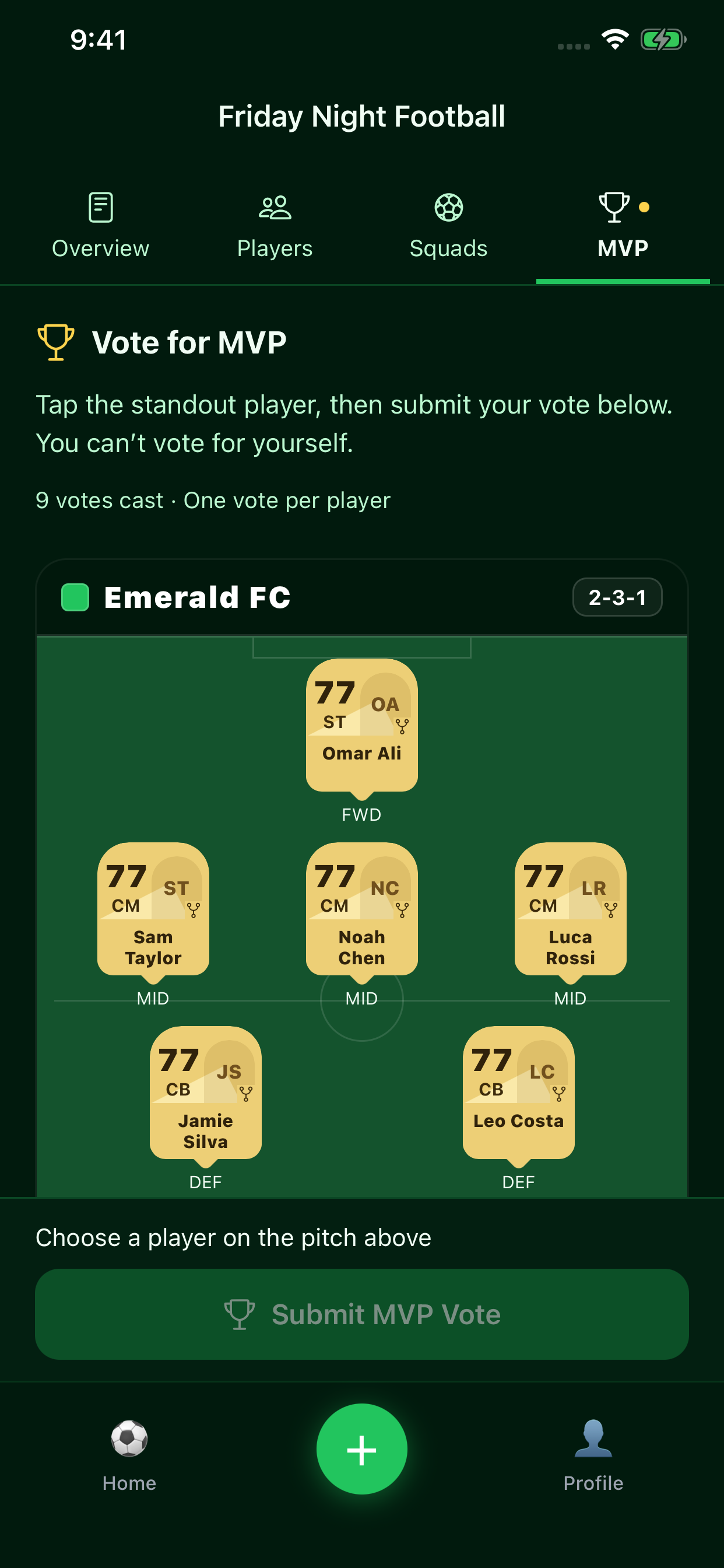
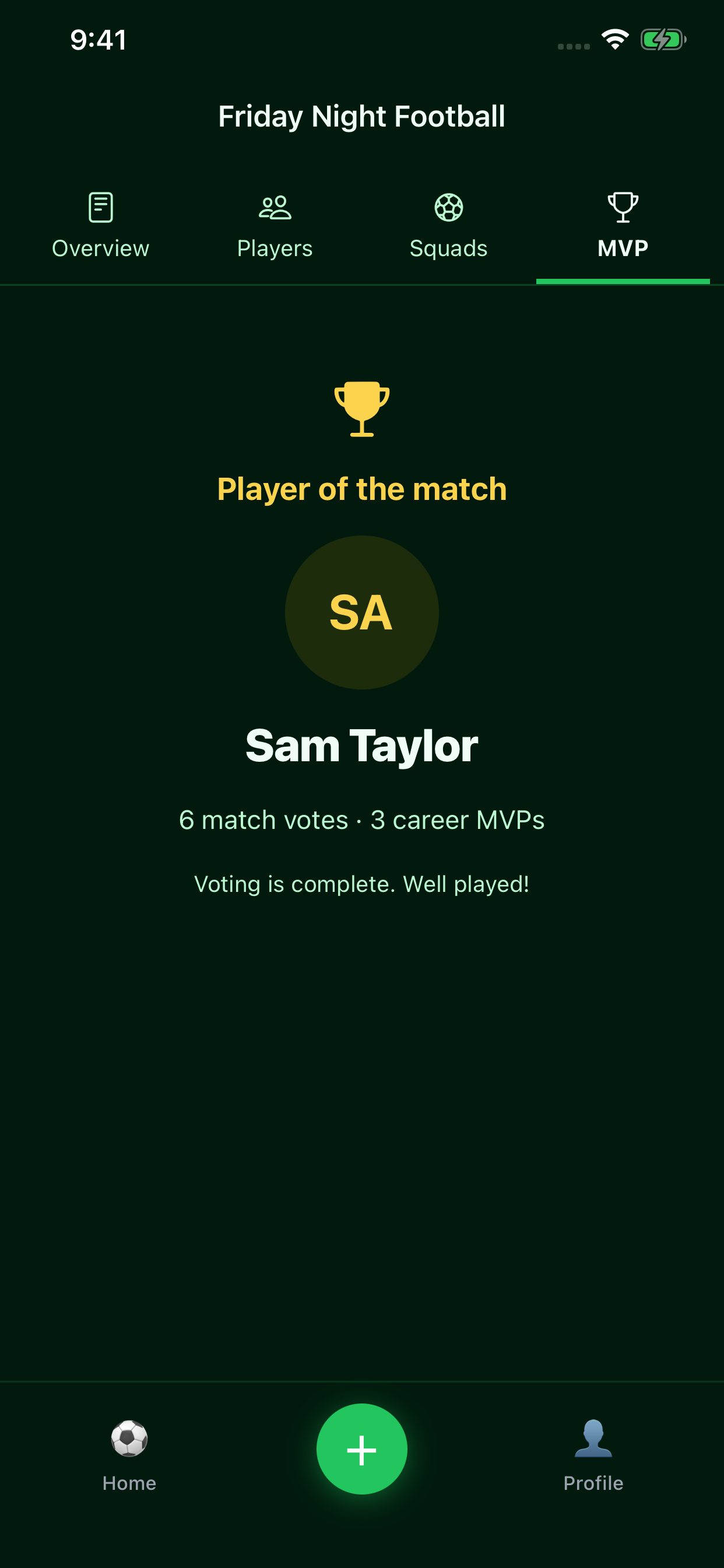
The captures below show the earlier MVP interface. In 2.0.0, choose the standout player and rate their six stats in one ballot. You cannot vote for yourself. Voting completes automatically when complete registered ballots reach half the actual session roster, rounded up.
Player cards, progression & profile
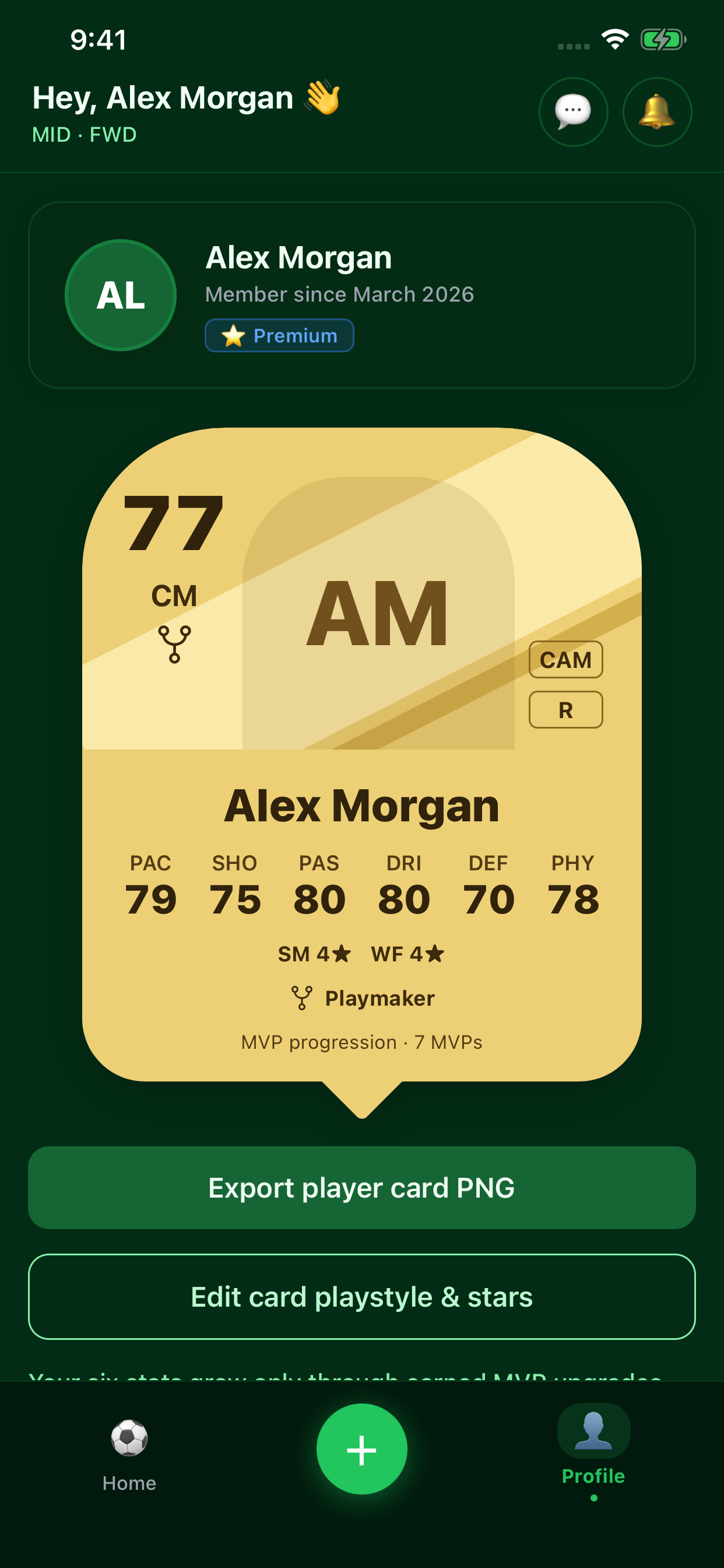
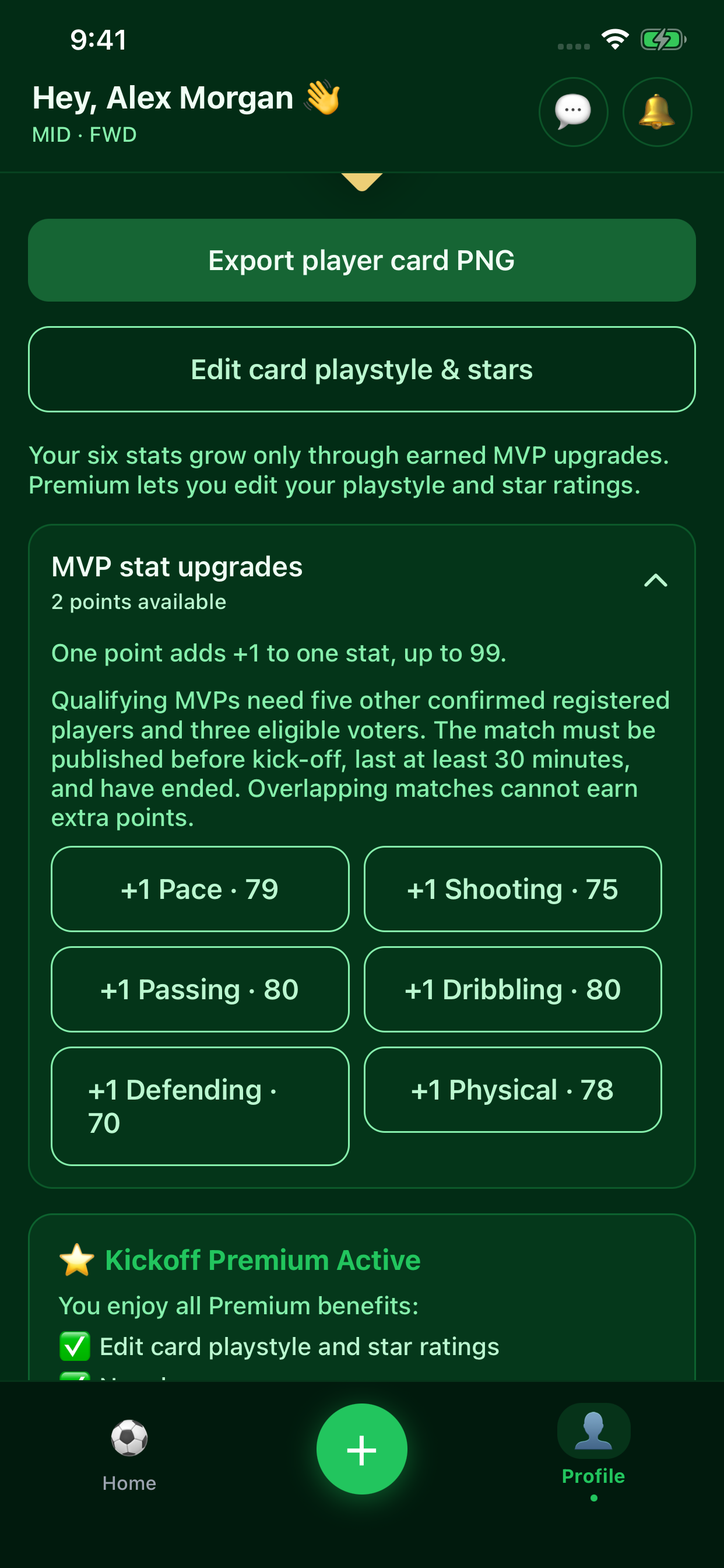
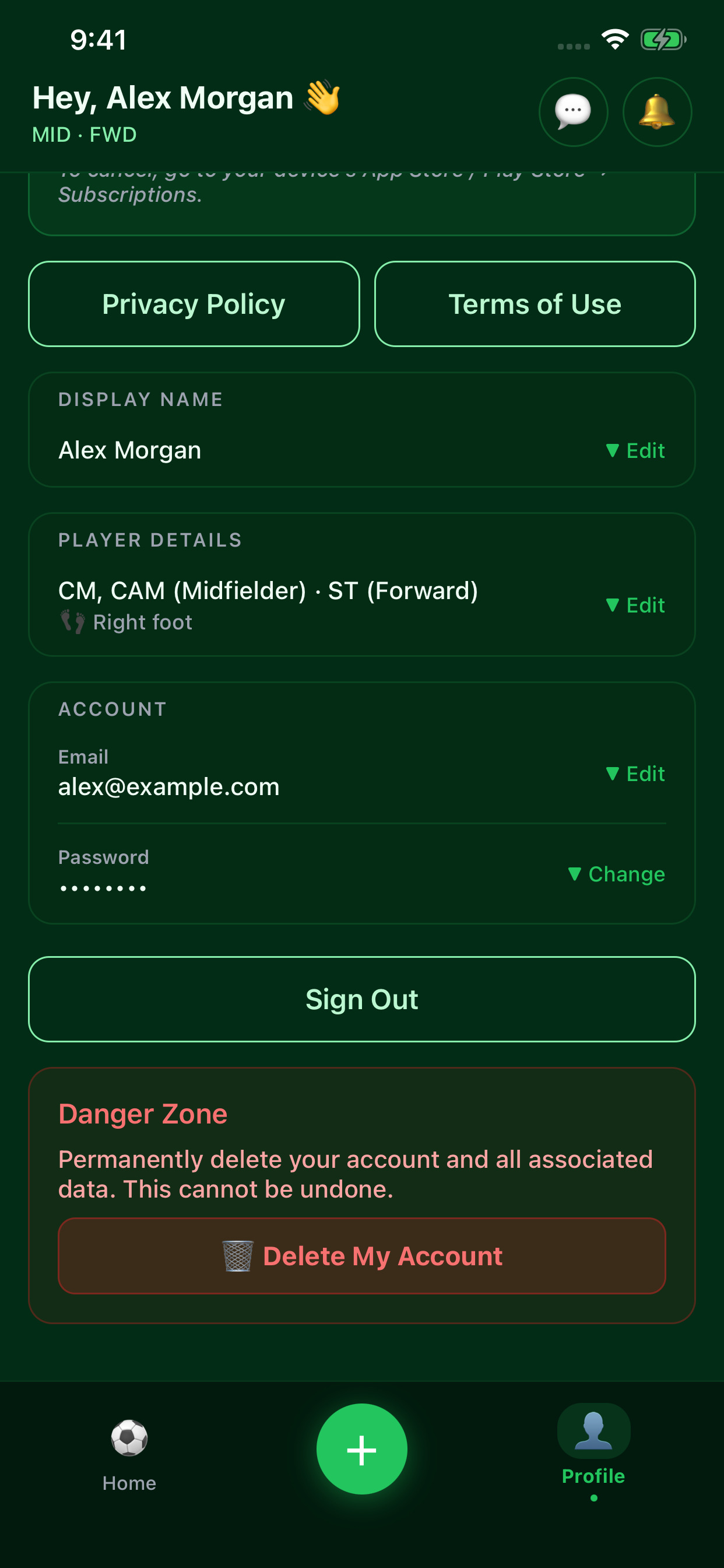
Set preferred positions, detailed roles, and strong foot. Premium unlocks the player card view and PNG export, plus playstyle and star-rating edits. In 2.0.0, qualifying community ratings shape the six-stat baseline and earned MVP upgrades add permanent +1 bonuses. Allocate upgrades inside Edit card; goalkeeper cards use dedicated goalkeeper stats.
Dashboard & game creation
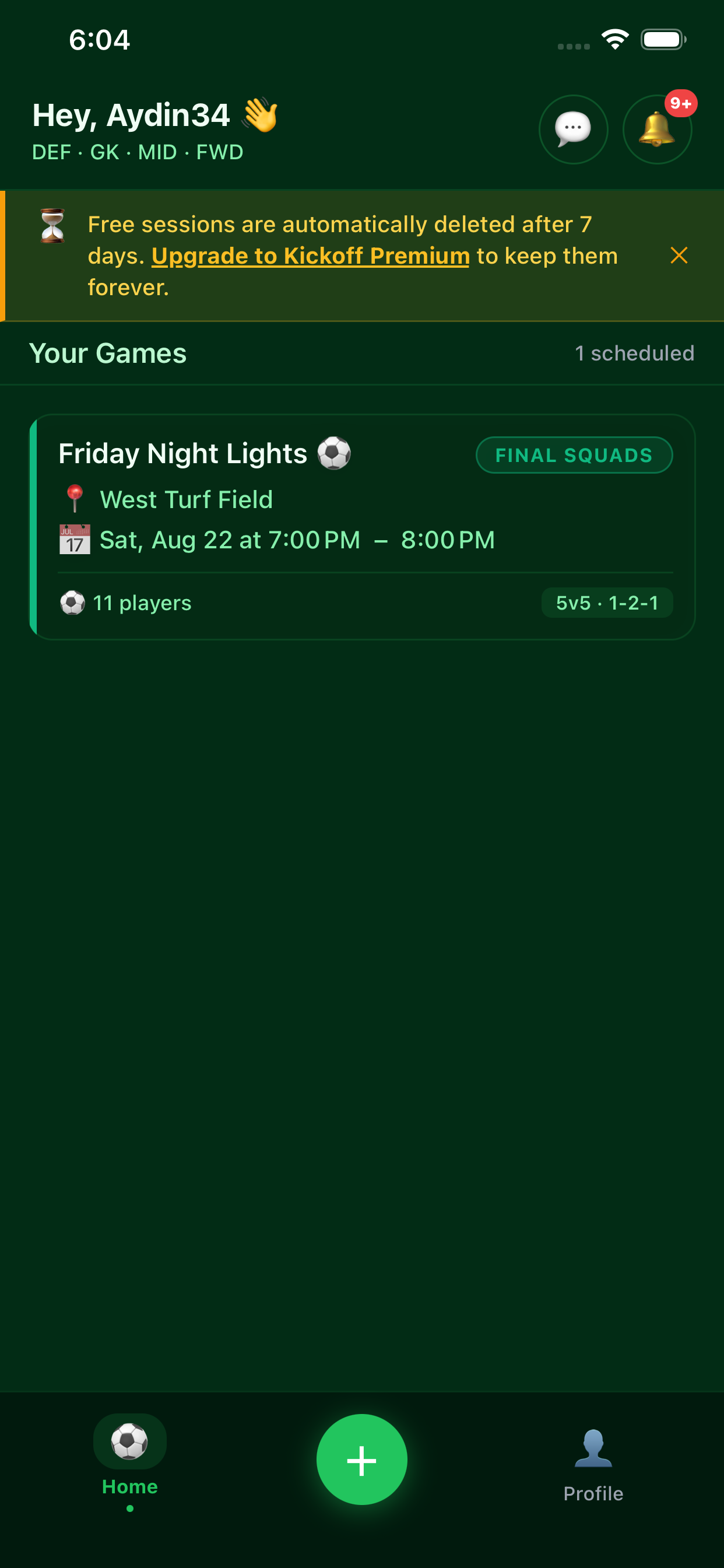
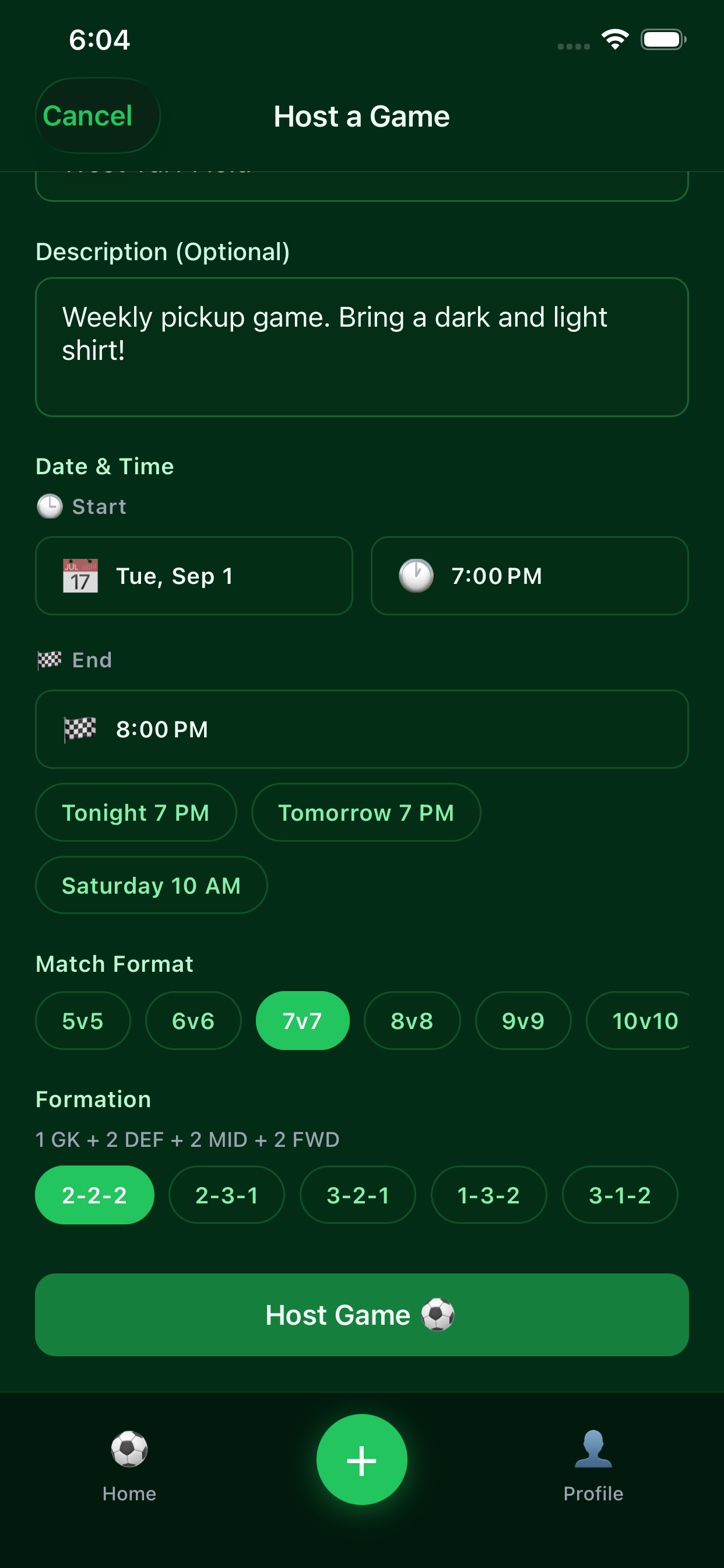
See upcoming games and create a new session with a schedule, location, and match format.